
Settings and AI services
Notosaurus doesn’t have its own AI: it uses the service you choose, with your own key. You pay the service directly, for what you use: no subscription.
The settings
Section titled “The settings”On the computer, Tools → Notosaurus → Settings opens them in the browser. They open only on
the computer itself: a phone can’t change them nor see the keys. Standalone or with Docker, the
settings page (/admin.html) is reachable from the network, protected by an 🔐 Admin
password created on the first visit.
What only the computer has:
- AI service, Access (the API keys) and Model: below.
- Pictures on cards: the Service drawing them (the cards’ own when it can draw: Gemini, OpenAI, OpenRouter; Claude and local models can’t) and its Image model, with 🖼️ Test: draw a giraffe. See Card types.
- 📥 Send straight to Anki: AnkiConnect, standalone, and the sync with AnkiWeb. See Sending to Anki desktop.
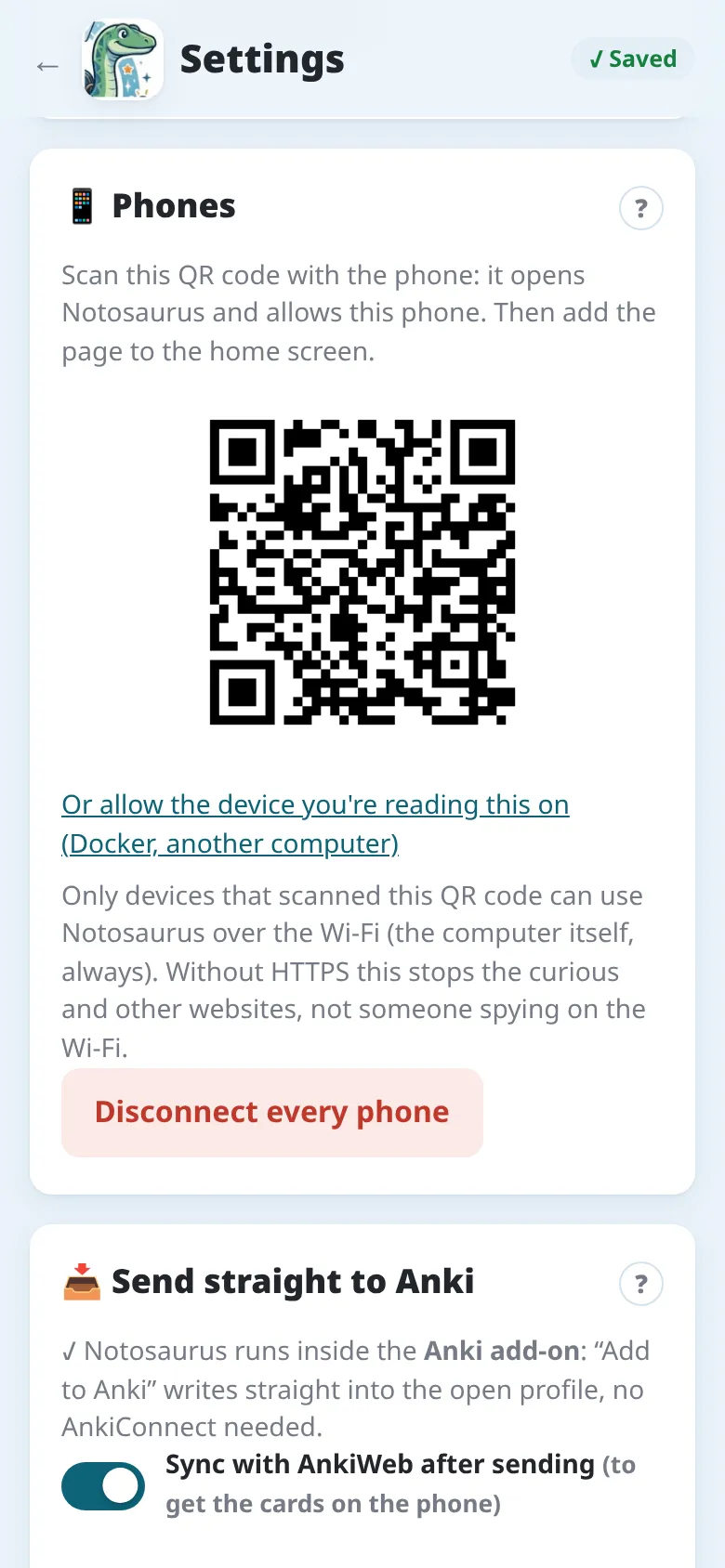
- 📱 Phones: the QR code that opens Notosaurus on a phone and allows it, and Disconnect every phone. See On the phone and Privacy and security.
- Lessons: who each lesson belongs to, what it cost, deleting it (see What it costs).
📝 Instructions for the AI and Card voices are in the Android app’s settings too: see Instructions and Voices.
Which service?
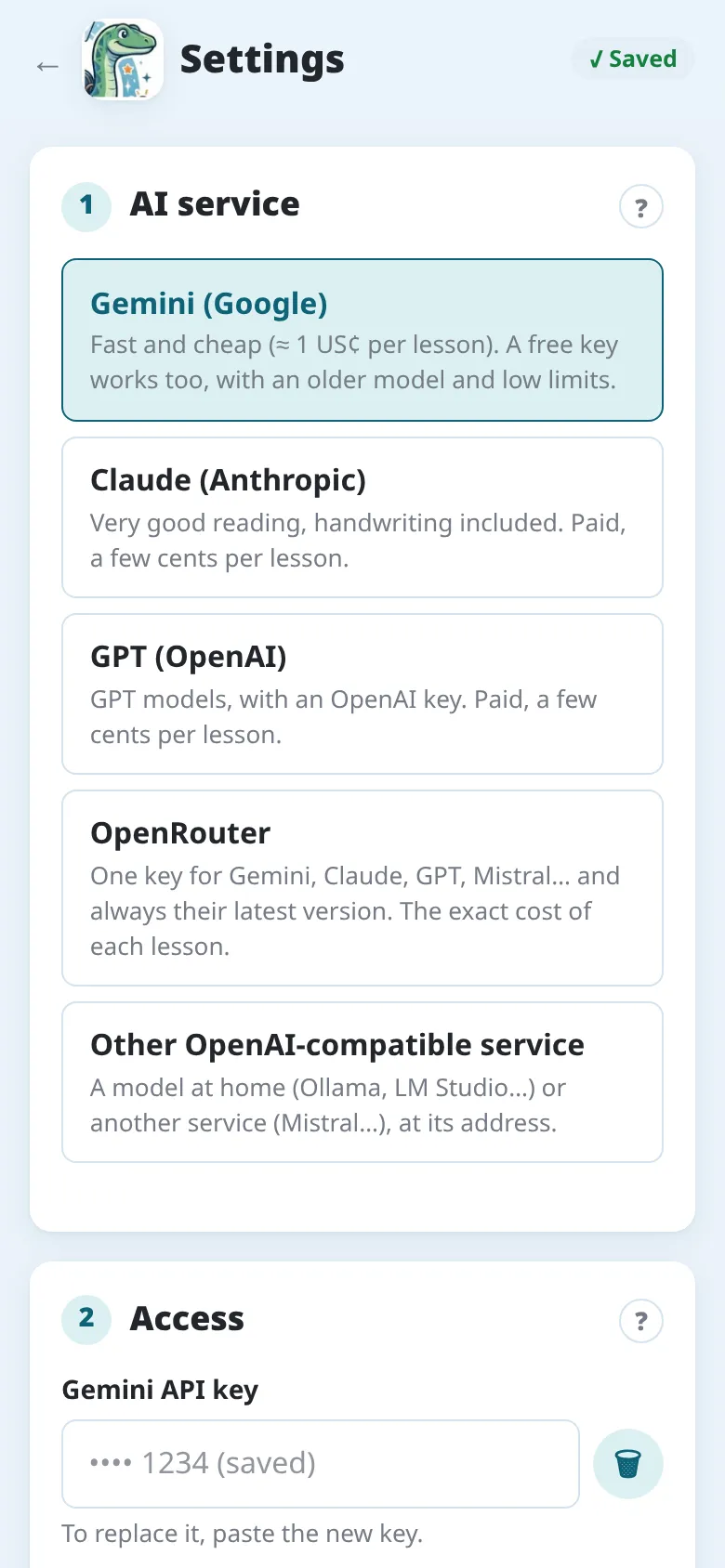
Section titled “Which service?”| Service | For whom | Cost of a lesson |
|---|---|---|
| Gemini (Google) | the default: fast, cheap, reads well; a free tier to try | a fraction of a cent |
| Claude (Anthropic) | among the best readings of handwriting, and the fastest (Sonnet) | a few cents |
| OpenAI (GPT) | if you already have an OpenAI account | a few cents |
| OpenRouter | one key for Gemini, Claude, GPT, Mistral…; the exact cost of each lesson | the price of the model chosen |
| Other OpenAI-compatible service | a model at home (Ollama, LM Studio), or another service | free at home |
Change service at any time in Settings → AI service: the lessons already made stay as they are.
Getting a key
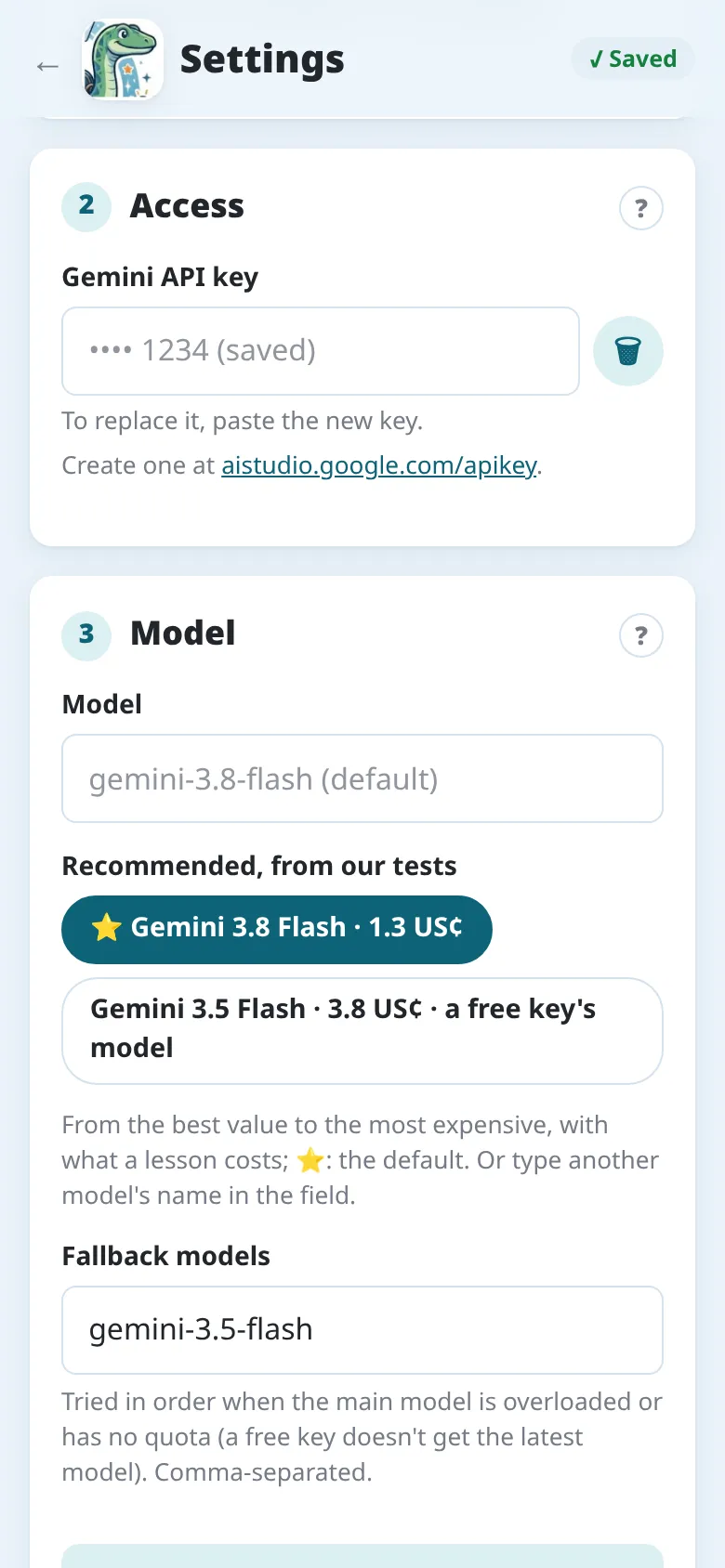
Section titled “Getting a key”Create the key on the service’s site, then paste it in Settings → Access and tap 🔌 Test: Notosaurus checks that the model reads an image and answers in the right format. The first time, the setup assistant does the same in two steps.
Gemini
Section titled “Gemini”- Open aistudio.google.com/apikey and sign in with a Google account.
- Create API key, then copy it.
- The free tier is enough to try Notosaurus, but its limits are low (a few dozen requests a day on the best models) and Google may use what you send to improve its products. For your children’s notebooks, turn on billing for the key’s project in Google AI Studio: you then pay a fraction of a cent per lesson, and, according to Google’s terms, your data isn’t used to improve its products.
Claude
Section titled “Claude”- Open console.anthropic.com and create an account.
- In Billing, add some credit: a few euros last a long time.
- In Settings → API keys, Create key, then copy it.
OpenAI
Section titled “OpenAI”- Open platform.openai.com and create an account.
- Add some credit in the billing settings.
- In API keys, create a secret key, then copy it.
OpenRouter
Section titled “OpenRouter”- Open openrouter.ai and sign in.
- Buy credits: OpenRouter adds a small fee to each purchase, so prefer one purchase of 15 $ or more to several small ones.
- In Keys, create a key, then copy it.
One OpenRouter key gives access to Gemini, Claude, GPT and many others: handy to compare them. By default, Notosaurus uses Gemini Flash through OpenRouter.
The model
Section titled “The model”- Notosaurus chooses for you: with the Model field empty, each service uses its default, the one marked ⭐.
- Recommended, from our tests, under Model, lists the models we advise for that service, from the best value to the most expensive, with what a lesson costs. Tap one to choose it, or type any other model of the service; with OpenAI-compatible services, 📋 Load the service’s models lists only the models that accept images.
- How we chose them, and the models to avoid: see Which model?.
Gemini also has fallback models, tried in order when the main one is overloaded or not included in the key’s plan (a free key doesn’t get the latest model: it then uses an older one).
A model at home
Section titled “A model at home”With Other OpenAI-compatible service, Notosaurus can use a model running on your computer,
with Ollama or LM Studio. The address usually ends
with /v1 (Ollama: http://localhost:11434/v1). Nothing leaves the house and nothing is
paid, but:
- the model must accept images (a “vision” model): 📋 Load the service’s models lists them;
- it needs a good graphics card (or a recent Mac with plenty of memory);
- it reads handwriting much less reliably than Gemini or Claude;
- with Ollama, corrections need a longer context than the default: set
OLLAMA_CONTEXT_LENGTH(for instance to 16384) before starting it.
What it costs
Section titled “What it costs”Settings → Lessons shows what the AI cost, in total, per profile and per lesson, with each generation, correction and picture.
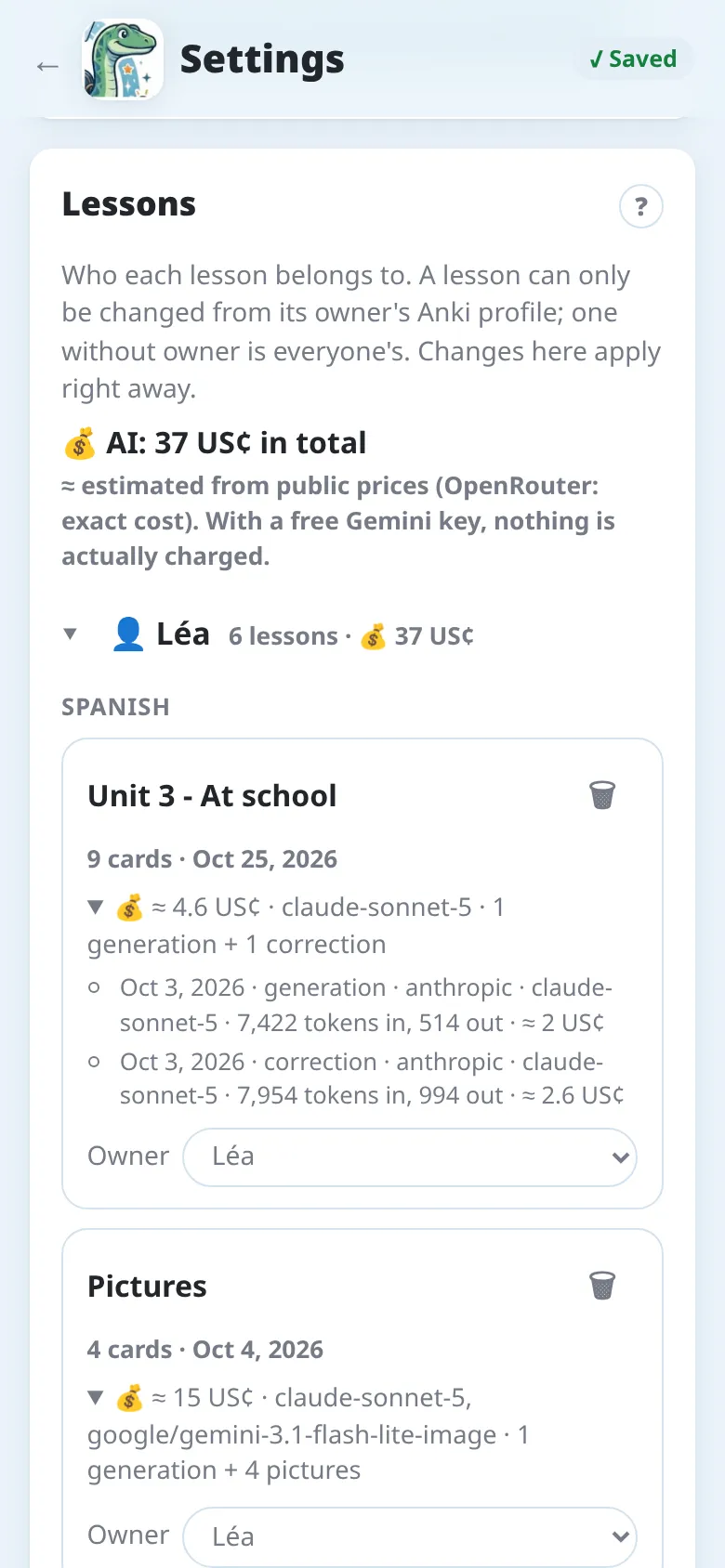
These figures are estimated from the services’ public prices (OpenRouter gives the exact cost). With a free Gemini key, nothing is actually charged. As an example, the vocabulary lesson of these screenshots cost about 2 US cents to generate with Claude Sonnet, and as much for its correction. Pictures cost from under a cent to a few cents each; figures, under a cent (drawn quickly, a few seconds each, while you review the cards). A figure you doubt: “🔍”, under it, has the AI look at it; if it finds something wrong, you choose whether it’s redrawn, told what was wrong: quickly (a few seconds), then, if it’s still wrong, carefully, with the model’s thinking (up to a minute).