Several children
Each child gets a card in Notosaurus: their first name, their class, the decks their lessons go in, and your instructions for them. Each lesson is for one child. Where their cards go in Anki depends on where Notosaurus runs: see Where each child’s cards go.
The children’s cards
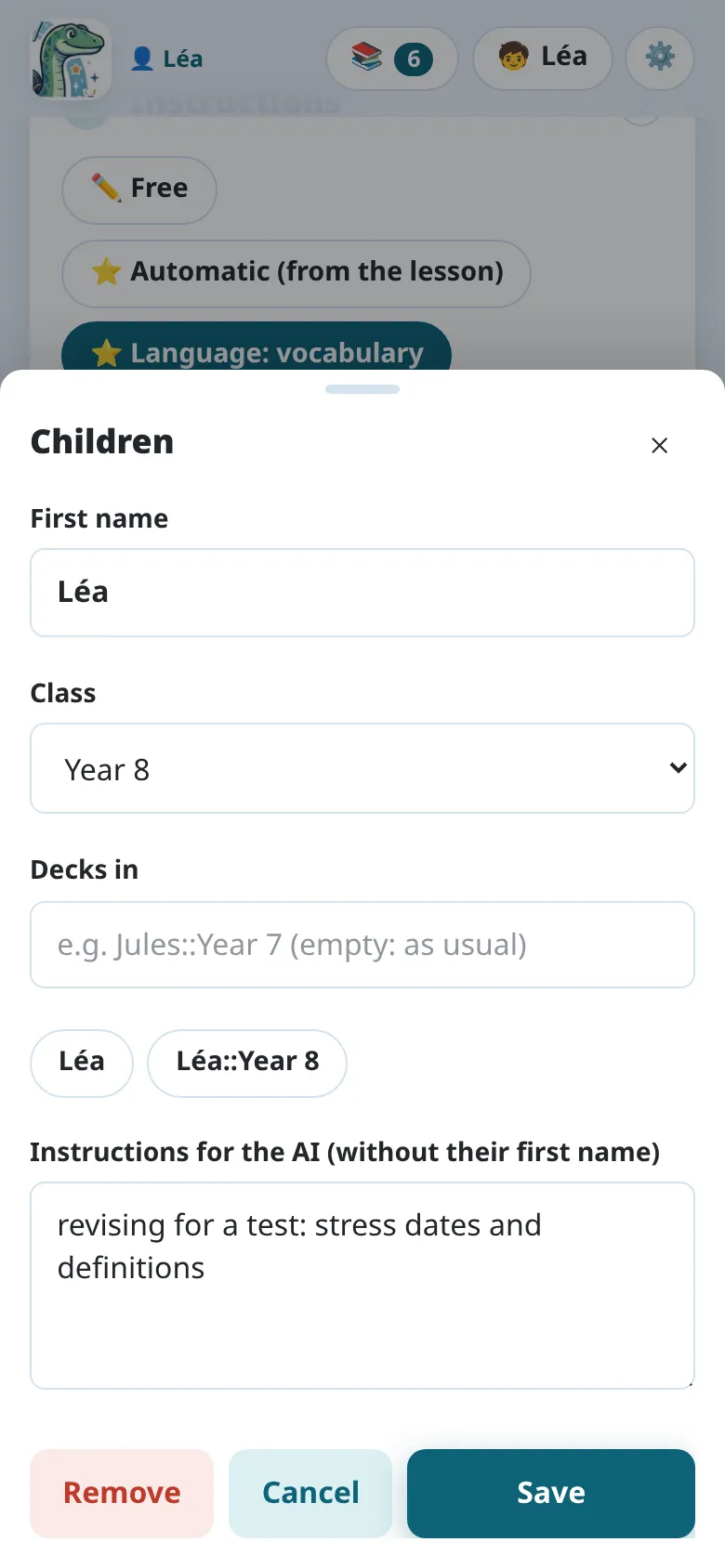
Section titled “The children’s cards”The Children button (🧒), at the top of the page, opens Children. + Add a child makes a card:
- First name: to tell them apart. It is never sent to the AI.
- Class: told to the AI, so that the cards fit the pupil’s level.
- Decks in: where their lessons go in Anki, empty at first (the lesson’s deck as usual).
Under it, one tap on a suggestion fills it in: their first name (
Jules), or their first name and class (Jules::Year 7), which follows when the class changes. The lesson’s deck then comes after it:Jules::Year 7::Spanish::Unit 3. Typed by hand,{class}also becomes their class. - Instructions for the AI (without their first name): added to every lesson of that child (“still reads slowly: short sentences”, “revising for a test: stress dates and definitions”).
Who is the next lesson for? Tap their name: the child chosen is shown on that button, and the next lessons are for them. Edit (✏️), next to a name, edits their card.
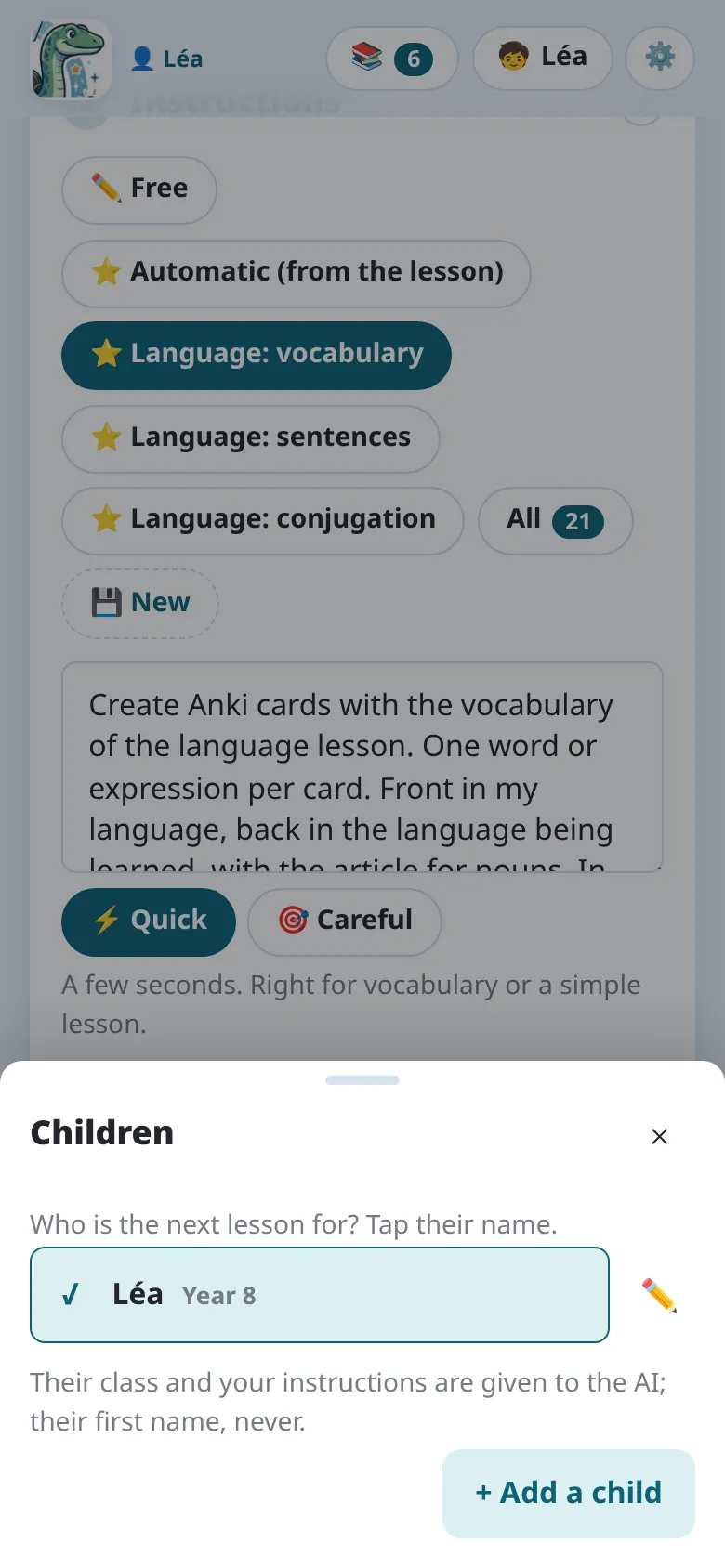
Instructions for every child (“Spanish from Spain”) are in the settings: see Instructions.
Lessons belong to a child
Section titled “Lessons belong to a child”- A lesson is for the child chosen when it is made. Its review says whose it is: 🧒 Paul’s lesson.
- 📚 My lessons shows the chosen child’s lessons. With more than one child, the switch above the list shows Every child’s lessons.
- On the computer, if Anki is open on another child’s profile, the lesson says so before you send it: ⚠️ Anki is open for Léa: open Paul’s profile in Anki to send them their cards.
The same lesson for two children
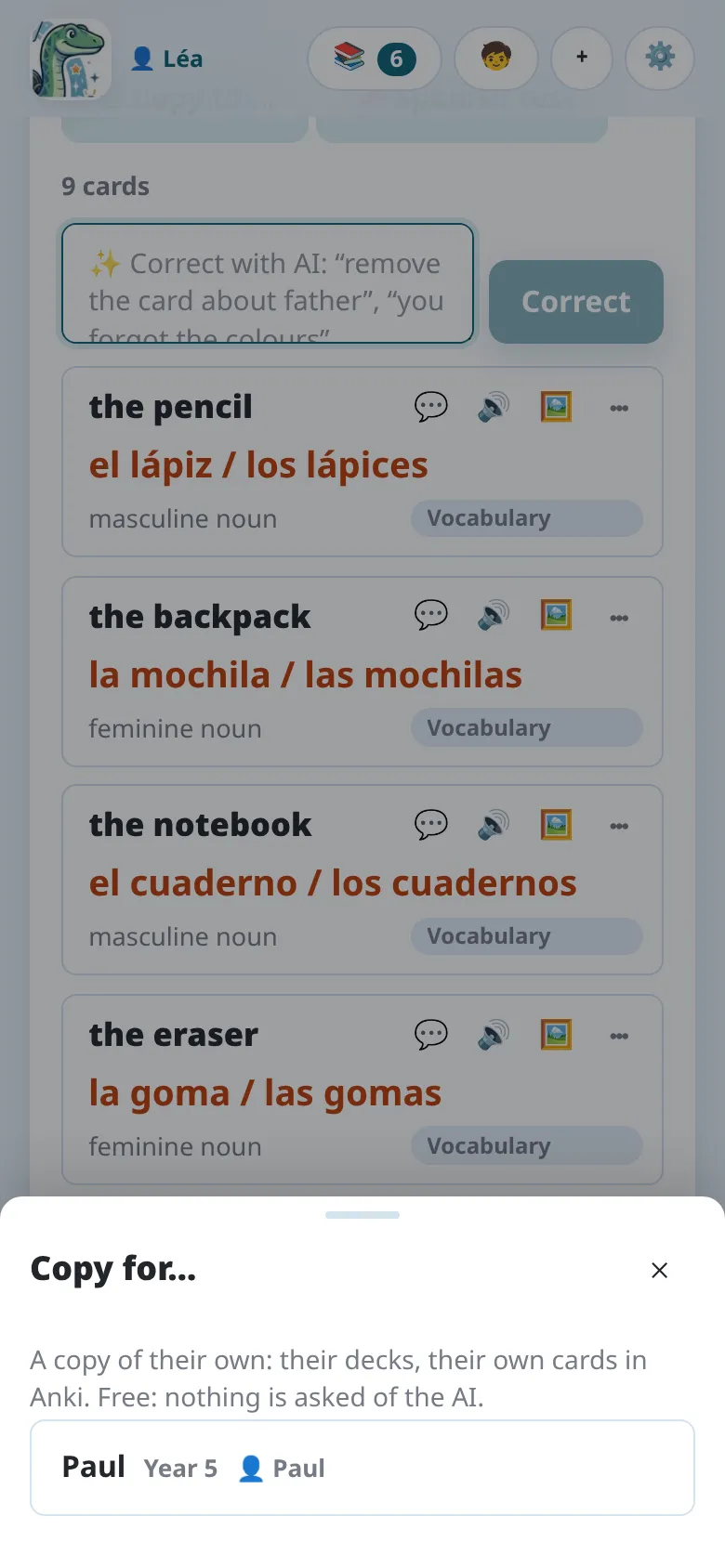
Section titled “The same lesson for two children”Two children have the same lesson? ⧉ Copy for…, in the lesson’s review, makes a copy for another child: their decks, their own cards in Anki, their own review history. It’s free: nothing is asked of the AI. The copy opens if that child is in the open profile; otherwise it waits in their lessons.
On the computer, lessons shared with every profile by an older version stay visible to every profile, read only except from their owner’s profile: ⧉ Copy for… gives each child their own.
Where each child’s cards go
Section titled “Where each child’s cards go”The app writes into AnkiDroid, which has no profiles: one collection on the phone, logged in to one AnkiWeb account. So each child gets their own decks:
- fill in their Decks in with one tap on its suggestion (
Léa::Year 5,Paul::Year 8): their lessons go into their own decks; - to review, each child opens their own deck (Léa, Paul): AnkiDroid then only takes their cards. Not the button that reviews everything.
Notosaurus keeps the children apart in that collection:
- the list of lessons shows the chosen child’s, grouped by subject (their name and class left out);
- the decks suggested are theirs, never another child’s.
Each child sees the other children’s decks in AnkiDroid, though, and its statistics are shared.
One profile per child. Cards go into the profile open in Anki. For each child to have their own cards and progress, give each one a profile:
- In Anki, File → Switch Profile → Add, and create a profile per child (Léa, Paul…).
- For each profile, create an AnkiWeb account and log in to it in that profile (Tools → Preferences → Syncing). One AnkiWeb account holds one collection, so each child needs their own.
- On each child’s phone, log in to AnkiDroid or AnkiMobile with that child’s AnkiWeb account.
- Open each child’s profile in Anki, then 🧒 in Notosaurus, and make their card.
A child’s card belongs to the Anki profile open when it was made. Notosaurus only offers the cards of the profile open in Anki: open Paul’s profile, and Paul is chosen.
After Add to Anki, Notosaurus syncs the open profile with AnkiWeb. The cards reach the child’s phone at its next sync.
One tablet for several children. AnkiDroid has no profiles: an installation holds one collection, logged in to one AnkiWeb account. AnkiMobile doesn’t switch accounts without logging out either. If the children share a phone or a tablet, the simplest is a single Anki profile, with one deck per child:
- Keep a single profile in Anki, logged in to a single AnkiWeb account, and log AnkiDroid in to that account.
- Make a card for each child, and fill in their Decks in with one tap on its suggestion
(
Léa::Year 5,Paul::Year 8). Their lessons then go into their own decks, without typing their name again. - To review, each child opens their own deck (Léa, Paul): Anki then only takes their cards. Not the button that reviews everything.
Notosaurus then keeps the children apart in the same profile:
- the list of lessons shows the chosen child’s, grouped by subject (their name and class left out);
- the decks suggested are theirs, never another child’s.
What you lose compared with one profile per child: each child sees the other children’s decks in Anki, and Anki’s statistics are shared.
If each child has their own device, prefer one profile per child. For the tech-savvy: AnkiDroid can be installed several times on the same device, one per child, each with their own AnkiWeb account (the “parallel builds”, see the AnkiDroid FAQ).