The subscription
On this phone (📱 On this phone), the app works with a subscription, by the month or by the year, paid through Google Play. It pays for what the Notosaurus service does: the AI and the voices. The prices are shown in the app, as Google Play gives them.
Without a subscription, the app is free with the Anki add-on on your computer: see With your computer.
The free trial
Section titled “The free trial”🎁 Your free trial, no card, will start with your first lesson. Nothing to tap: the first lesson you make starts it. It lasts 14 days and gives 300 credits (150 a day at most): enough to try Notosaurus on a good number of lessons (see Credits). When it starts, the app says how many credits it gives and until when.
- No card to give, and nothing to cancel: at its end, the app asks you to subscribe to go on.
- Once per phone. Google checks that it is the app installed from Google Play, on a real phone (Play Integrity), and the app knows this phone by a fingerprint, never its identifier itself. On an emulator, the trial isn’t offered.
Subscribing
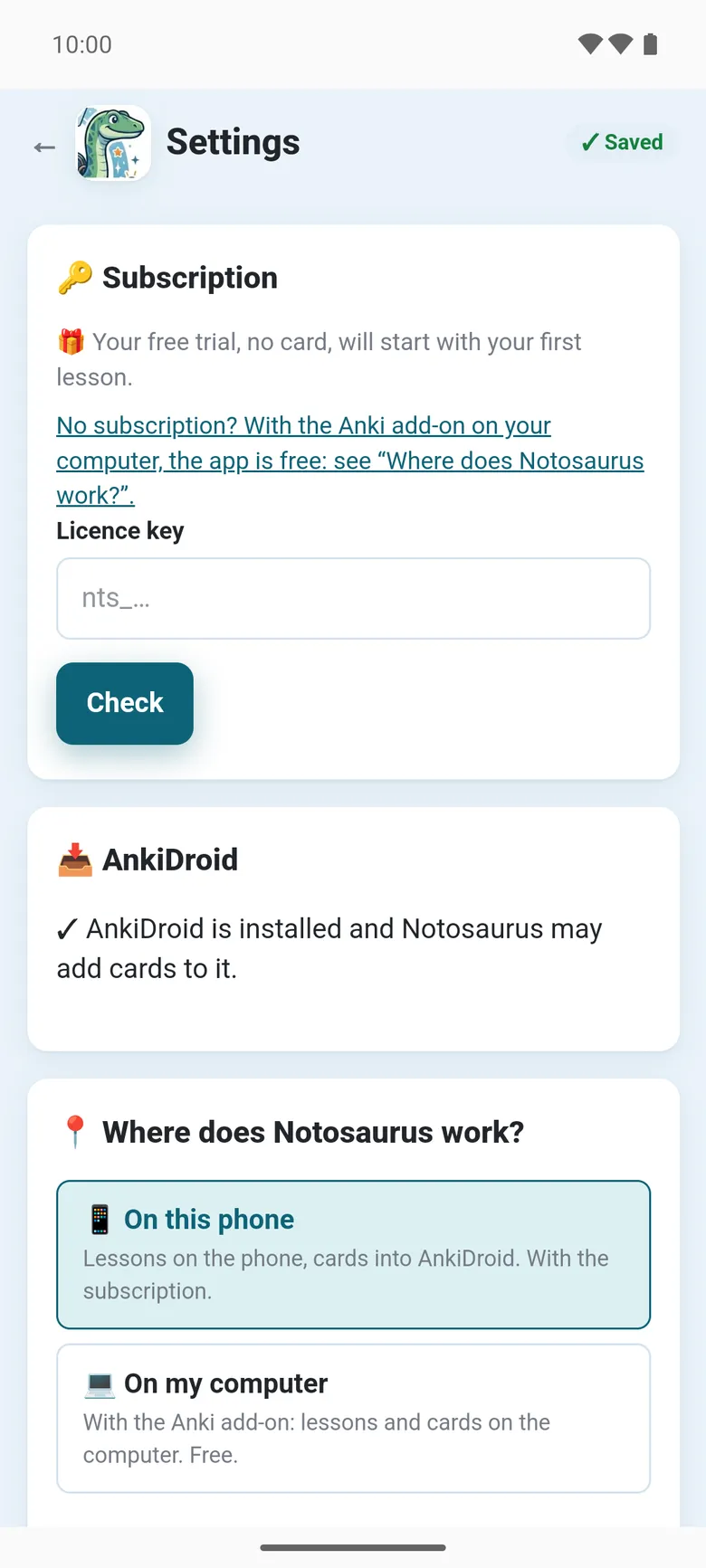
Section titled “Subscribing”In the settings, 🔑 Subscription offers the subscription by the month and by the year, with their price. Google Play takes the payment; once it is done, the app says ✓ Subscribed: happy revising!
🔑 Subscription then shows the plan, until when it is paid, and when it is renewed.
Credits
Section titled “Credits”The subscription gives 3,000 credits a month (500 a day at most); by the year, a month’s credits on the same day of each month. 🔑 Subscription shows how many are left this month and today, and when they are renewed.
What the service does for you uses them: making and correcting the cards, explaining one, the voices, the pictures. A credit is a tenth of a US cent of what the AI really costs:
- a one-page lesson with Gemini: about 10 credits, plus a few for its voices;
- a correction or an explanation: a few credits;
- a drawn picture: more. Before drawing one, the app says about how many credits it will cost.
When there are none left, they come back with the next renewal. These figures are the service’s today; the app always shows the current ones.
On a new phone, or to change it
Section titled “On a new phone, or to change it”- I already have a subscription finds it again on your Google account, for instance on a new phone: ✓ Your subscription was found on this Google account. The phone must use the Google account the subscription was taken with.
- Manage the subscription (Google Play) opens Google Play’s page, to change the plan or cancel it.
- Licence key: if Notosaurus gave you a key (
nts_…), paste it there and tap Check.
Payment pending
Section titled “Payment pending”When Google Play couldn’t renew the subscription (an expired card, for instance), the app says Payment pending: update your payment method in Google Play (Manage the subscription). Once Google Play has received it, the subscription is active again: open the settings again.
What the service keeps about your subscription: see the privacy policy.