Instructions
The instructions (or prompt) tell the AI what to make of the lesson: which cards, in which direction, in which languages. The photo says what to learn; the instructions say how.
Choosing instructions
Section titled “Choosing instructions”Under Instructions, the most recent ones are shown as buttons. All opens the whole list, with a search.
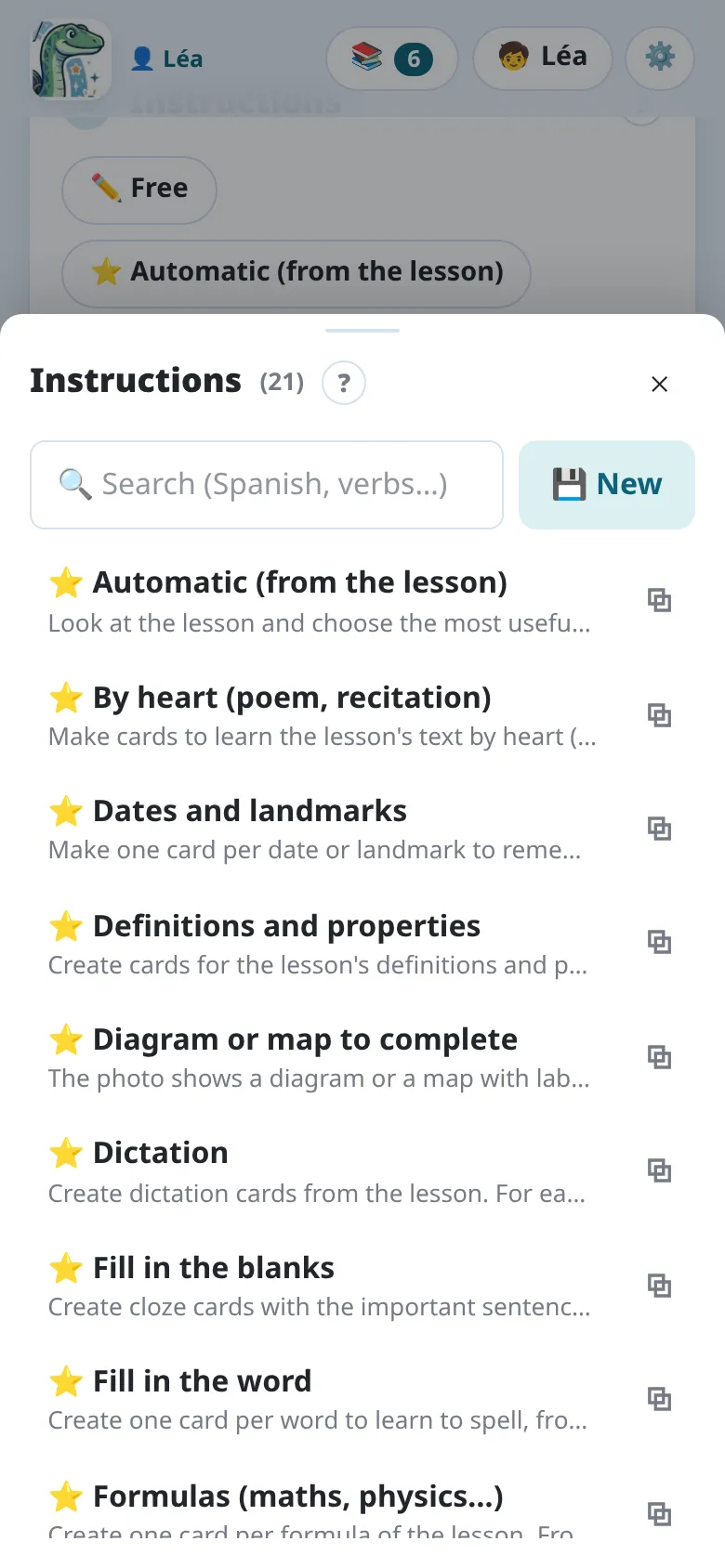
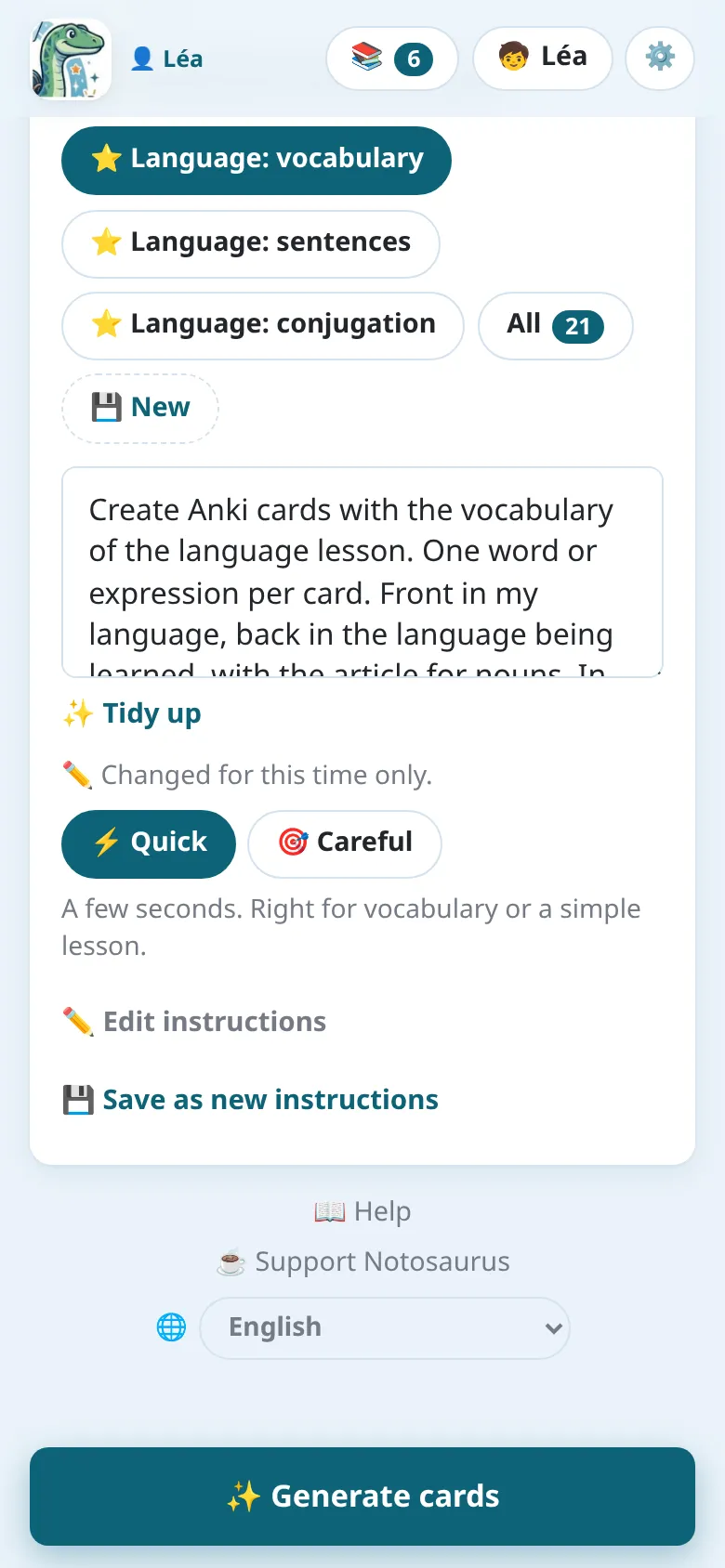
The text of the chosen instructions shows below the buttons. You can change it for this time only (“Changed for this time only”), for instance to add “only the verbs”: your change stays with the lesson, the saved instructions don’t change. In the app, the Dictate button (🎤) next to the text dictates it: say what you want, the AI writes it in.
✨ Tidy up, under the text, has the AI rewrite instructions typed in a hurry or dictated: clear and short, in their own language, with every intention kept (how many cards, which languages and direction, which kind of cards) and nothing added. ↩ Undo brings back your text, as long as you haven’t changed the tidied one. It isn’t offered for Notosaurus’s own instructions as they are: they are tidy already.
Quick or careful
Section titled “Quick or careful”How the cards are made, under the instructions, sets how long the AI thinks:
- ⚡ Quick (the default): a few seconds. Right for vocabulary or a simple lesson.
- 🎯 Careful: longer (up to 30 s), more thought through: for a rich lesson (a diagram, maths).
The choice is kept on the device. A lesson made in quick mode says so in the review (“Made in quick mode.”), with 🎯 Make again, carefully.
Notosaurus’s instructions
Section titled “Notosaurus’s instructions”The instructions marked ⭐ come with Notosaurus and get better with each version. They can’t be changed, but they can be duplicated to make your own version.
| Instructions | What they make |
|---|---|
| Automatic (from the lesson) | The AI looks at the lesson and chooses the most useful cards. |
| Language: vocabulary | One card per word or expression, with the article, gender and plural in the info; without a photo, from a list or a topic. |
| Language: sentences | One card per sentence, in your language and the language being learnt. |
| Language: conjugation | One verb, tense and person per card; the conjugated form on the back. |
| Table to learn | A table to know by heart (declension, irregular verbs…): one card per cell, or per row when each row is a word; the answer typed. |
| Questions / answers | Short questions on the content: dates, definitions, key ideas. |
| Dates and landmarks | One card per date to remember (a timeline, a box): the event on the front, its date on the back, the century in the info; with the reverse card, to learn it both ways. |
| Definitions and properties | One card per key word to define; for a property or a theorem, its name → the full statement (“If …, then …”) and the hypotheses → the conclusion, the converse on its own, what it is for in the info. |
| Recognise from an example | One card per example of the lesson (a figure of speech, a word class…): the example on the front, the notion on the back, its definition in the info. Never a made-up example. |
| Fill in the blanks | Sentences with gaps (cloze): one card per gap number. |
| Multiple choice | A question, the right answer and three plausible wrong ones. |
| True / false | Statements, half of them false with one precise mistake. |
| Methods (steps) | One card per skill: “How do you …?”, the steps on the back. |
| Formulas (maths, physics…) | One card per formula, with what each letter stands for. |
| Geometry (with figures) | Figures, properties and vocabulary, with an exact figure drawn on the cards. |
| Diagram or map to complete | The labels of a diagram or a map hidden behind numbers: one card per label. |
| Language: vocabulary in pictures | The picture of each word on the front (found or drawn); the word in the language being learned on the back. |
| Fill in the word | One card per word to spell: a sentence with the word missing on the front, the word on the back (typed), a spelling tip. |
| Dictation | Dictation cards only: the words to learn to spell, and the dictation text sentence by sentence, heard then typed. |
| Gap dictation | The hardest words of the dictation text, one per card: its sentence with the blank, heard, the word typed. |
| By heart (poem, recitation) | The text copied exactly, read aloud: one card title → first line, then one card per line (the title, its number and the two lines before on the front, a stanza’s start said). |
Your own instructions
Section titled “Your own instructions”New creates instructions you will use again, for example for a language your child learns every week. Duplicate starts from a Notosaurus prompt.
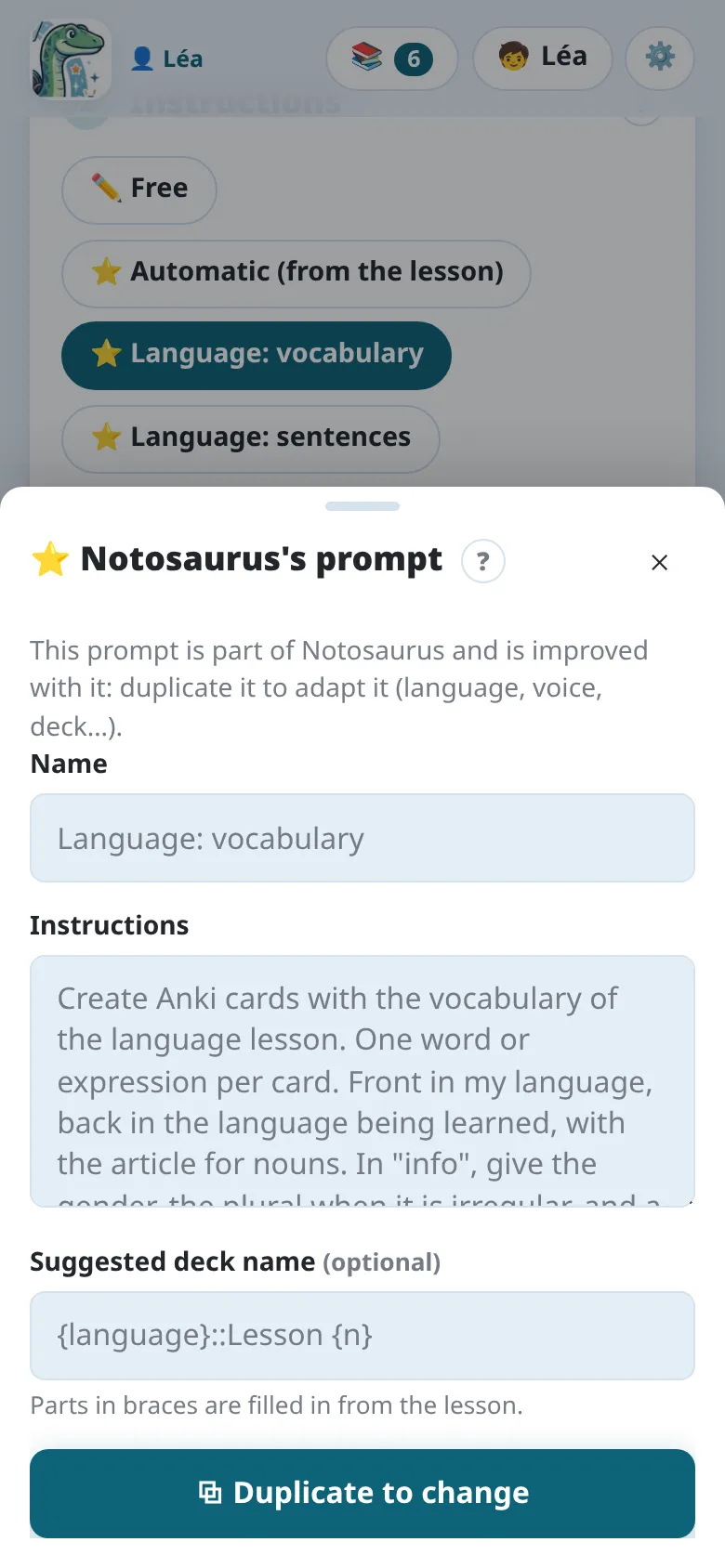
- Name: what the button shows.
- Instructions: what the AI must do, in plain words (“one card per date, front the event, back the date”).
- Suggested deck name: the Anki deck, with
::for sub-decks. The parts in braces are filled in from the lesson:Spanish::Lesson {n}becomesSpanish::Lesson 5.
How the cards are asked and heard is said in the text too, and the AI reads it there: “with the answer typed” (Anki compares letter by letter), “both ways” (the reverse card), “read aloud”, “with a dictation” (hear the back, write it) or “a dictation only”. The backs in a language being learned are read aloud anyway, with the voice chosen for that language (see Voices and audio).
✏️ Free writes instructions for this time only: they stay with the lesson but aren’t added to your list. Save as new instructions keeps them if they worked well.
“Did you know?” facts
Section titled ““Did you know?” facts”The AI adds a short, well-known fact to the cards where one fits (one in three at most). It shows on the back in Anki.
Helps on the back
Section titled “Helps on the back”The AI adds, only on the cards where they truly help:
- an explanation: why the answer is the answer, when understanding helps remember it (a cause in history, a rule, a formula); never for a plain word or a bare date;
- a way to remember it: the word’s origin or family (hippopotame: “the river horse”), a simple image, a well-known school mnemonic, a real spelling rule. Never a made-up one.
So a history lesson gets mostly explanations, a vocabulary lesson a few memory tricks and no explanation. They show on the back in Anki, under the info (💬 and 🧠), and can be edited or cleared in the review. On the computer, they add about 1 to 3 US cents to a lesson with Claude Sonnet.
Both are on at first, for every lesson: to stop them, see Turning them off. For one prompt only, say so in its text: “no fun facts”, “no helps”.
Pictures
Section titled “Pictures”The AI adds a picture to the cards where it truly helps to remember, whatever the instructions: a work of art, a person, a place, a monument, an animal. Never for an abstract notion, nor on every card. A free picture is looked for first; having the AI draw one is always asked. It is on at first (see Turning them off). For one prompt only, say so in its text: “no pictures”.
Turning them off
Section titled “Turning them off”Settings (⚙️) → 📝 Instructions for the AI → 💬 Helps on the back of the cards turns the helps off. The “Did you know?” facts and the pictures have no switch in the app: say so in the instructions’ text, or in the standing instructions below.
Settings → 📝 Instructions for the AI has a switch for each: 💡 “Did you know?” facts on the cards, 💬 Helps on the back of the cards and 🖼️ Pictures on the cards.
Standing instructions
Section titled “Standing instructions”Some instructions apply to every lesson: “Spanish from Spain”, “always the article with nouns”. Write them once in the settings: Settings (⚙️) → 📝 Instructions for the AI in the app, Settings → 📝 Instructions for the AI → For every child on the computer. Each child’s own (their class, “still reads slowly”) are in their card, from the Children button (🧒) on the main page: see Several children.