
Sending to Anki desktop
With the add-on (or standalone), once the cards are checked, they go to Anki desktop in one tap, or as a file. In the Android app, they go straight into AnkiDroid: see The app and AnkiDroid.
Add to Anki
Section titled “Add to Anki”📥 Add to Anki writes the cards straight into the profile open in Anki, in the lesson’s deck, with their audio and pictures. A message says what was done, for instance “✓ In Anki: 9 cards added. Synced with AnkiWeb.” While the pictures and figures are still being drawn, the button waits for them and says how many are ready (“⏳ Pictures and figures: 2 / 5 ready…”).
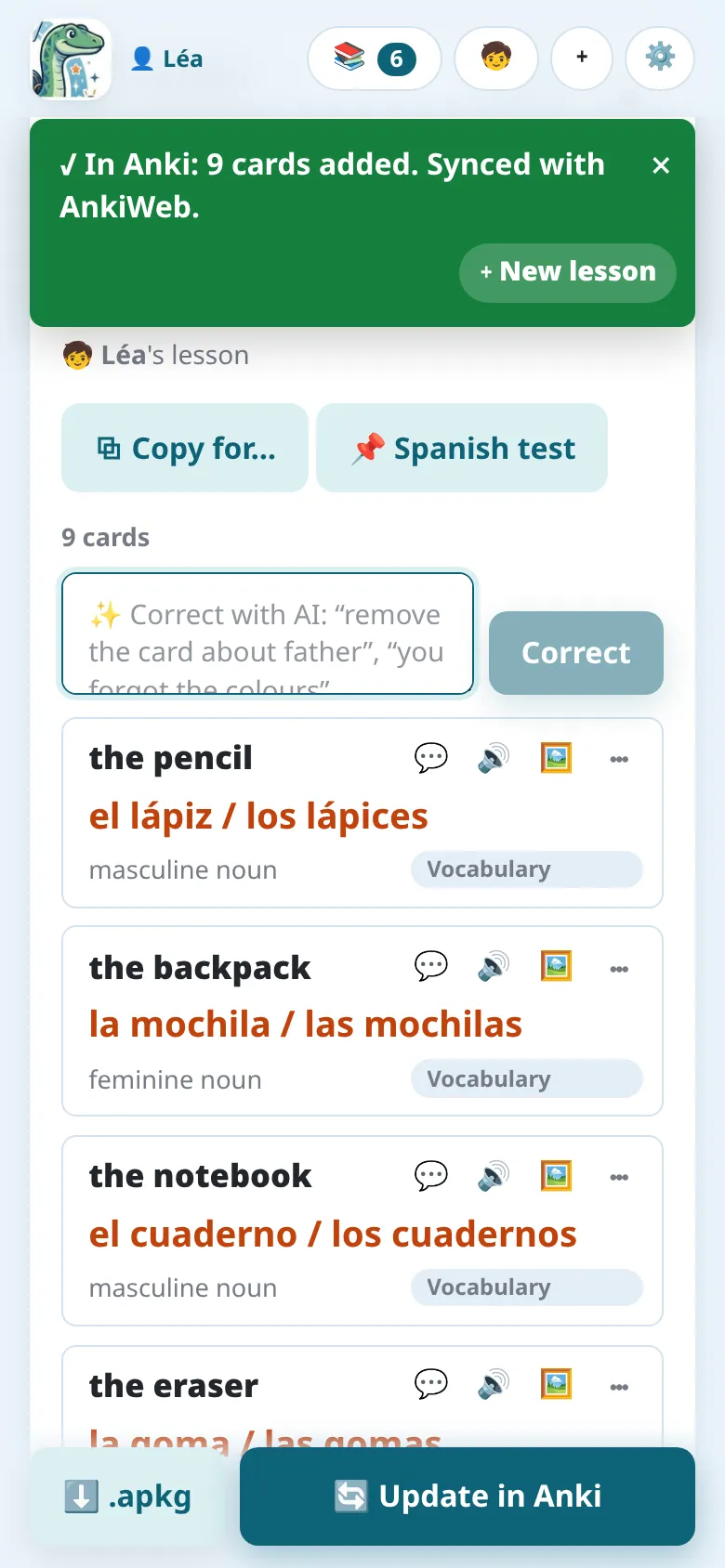
- With the add-on, Notosaurus writes into Anki itself: nothing else to install.
- Notosaurus standalone (without the add-on) needs Anki desktop open with the AnkiConnect add-on.
- If the lesson belongs to another child than the profile open in Anki, Notosaurus asks before writing it into the wrong collection (see Several children).
Sending a lesson again
Section titled “Sending a lesson again”Once the lesson is sent and as long as nothing changes, the button says ✓ Up to date in Anki (it still sends the lesson again if needed). Once something Anki gets has changed (a card, its picture, the deck, the voice, the options), it becomes 🔄 Update in Anki: a corrected lesson sent again updates its cards in Anki, history kept, instead of duplicating them. See The cards in Anki.
The .apkg file
Section titled “The .apkg file”⬇️ .apkg downloads the deck as a file, with its audio and pictures, without needing Anki to be open:
- on a computer, double-click it: Anki imports it;
- on Android, open the downloaded file and choose AnkiDroid. If AnkiDroid isn’t offered, share the file to AnkiDroid, or use Import in AnkiDroid’s menu;
- on an iPhone, open it with AnkiMobile from the share menu.
Importing a newer .apkg of the same lesson also updates its cards instead of duplicating
them.
With the Notosaurus add-on, a lesson sent with 📥 Add to Anki and its .apkg make the
same cards: you can mix both, on the computer and on the phone. With AnkiConnect, choose one
way per Anki profile: a .apkg imported where the lesson was already sent directly (or into a
profile synced with it) would add each card a second time.
Getting the cards to the phone
Section titled “Getting the cards to the phone”After Add to Anki, Notosaurus syncs the profile with AnkiWeb (the option Sync with AnkiWeb after sending, in the settings). The cards then reach AnkiDroid or AnkiMobile at their next sync. If the profile isn’t logged in to AnkiWeb, the cards are added to Anki on the computer, and the message says that it wasn’t synced.
Without an AnkiWeb account, the .apkg file opened on the phone puts the deck straight into
AnkiDroid, but the reviews then stay on that phone only.