
With your computer
With Notosaurus on the computer (the Anki add-on), the app can show the computer’s page instead of its own: the lessons, the AI and the cards are then the computer’s, with your own AI key, as in the phone’s browser (see On the phone). Free: no subscription in this mode.
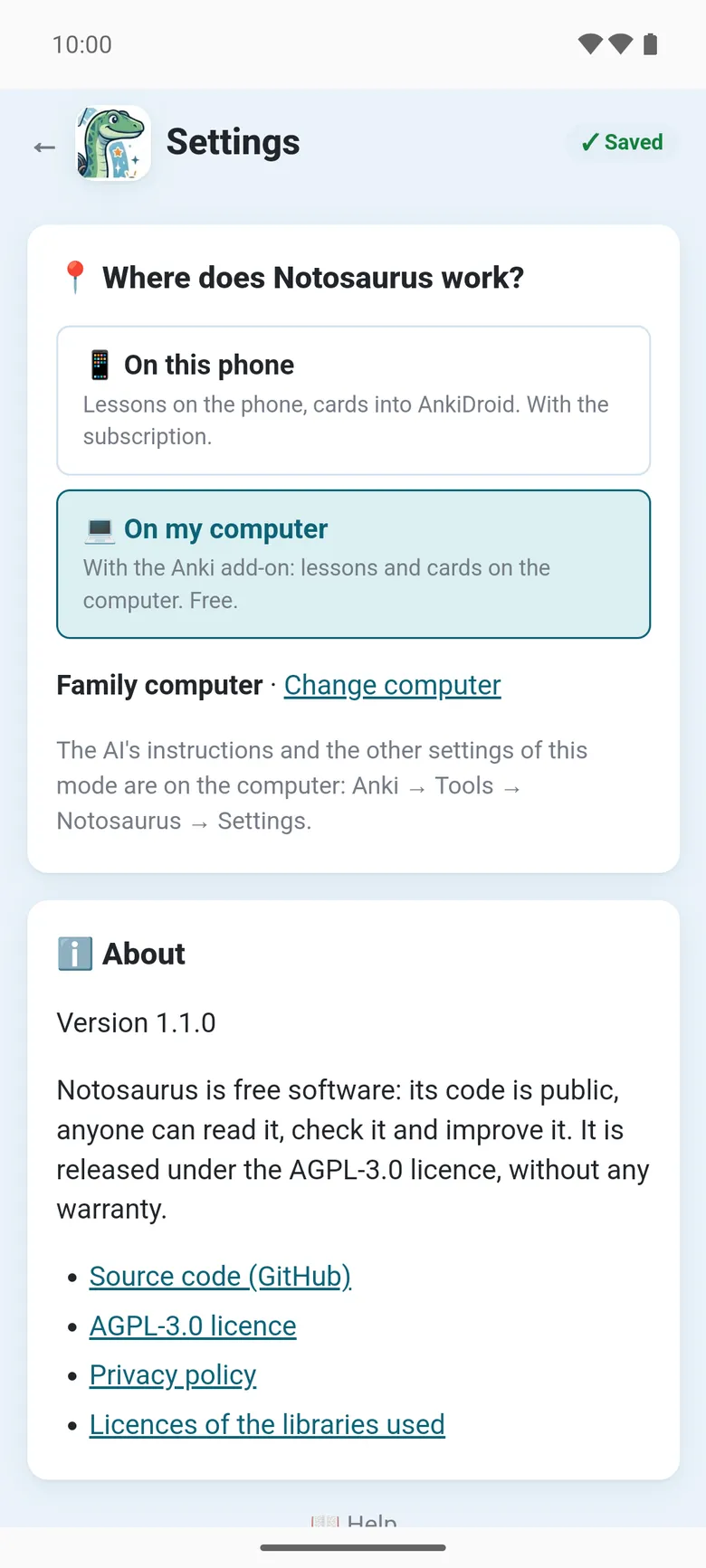
In the settings, 📍 Where does Notosaurus work?:
- 📱 On this phone: lessons on the phone, cards into AnkiDroid. With the subscription.
- 💻 On my computer: with the Anki add-on, lessons and cards on the computer. Free.
Connecting the computer
Section titled “Connecting the computer”Anki must be open on the computer, with the add-on, and the phone on the same Wi-Fi.
- On the computer: Anki → Tools → Notosaurus → Open on the phone: a QR code appears.
- In the app: 📍 Where does Notosaurus work? → 💻 On my computer → scan the QR code. Google’s code scanner opens: the app doesn’t ask for the camera. Or Type its address instead, the one under the QR code.
The app checks the computer answers, keeps it, and shows its page. Change computer scans another one.
What is on the computer
Section titled “What is on the computer”In this mode, everything is the computer’s: its lessons, its AI service and key, its children, and the cards go into Anki on the computer, then to the phones through AnkiWeb (see Sending to Anki). The app’s settings show only the choice of mode, the language and ℹ️ About: The AI’s instructions and the other settings of this mode are on the computer: Anki → Tools → Notosaurus → Settings.
When the computer doesn’t answer
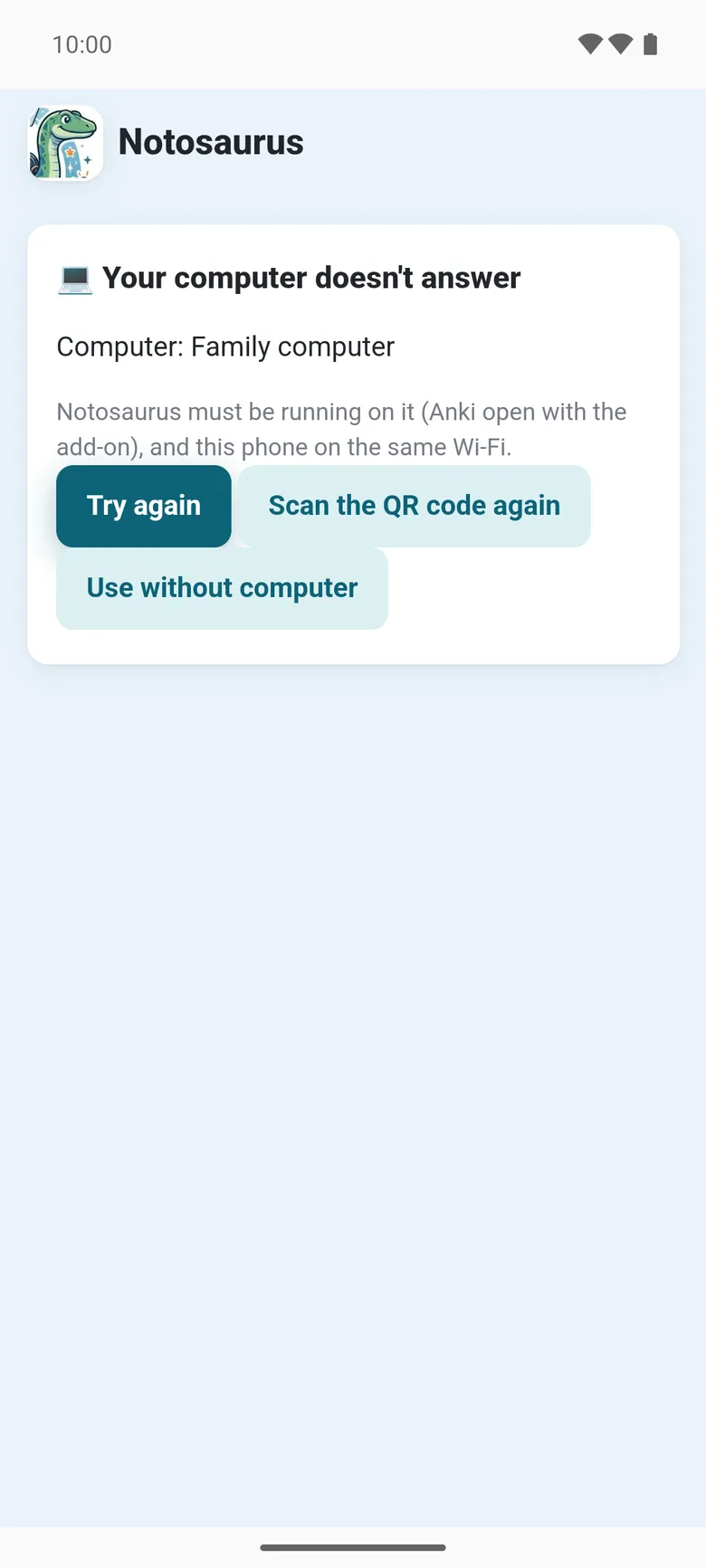
Section titled “When the computer doesn’t answer”The app says 💻 Your computer doesn’t answer: Notosaurus must be running on it (Anki open with the add-on), and this phone on the same Wi-Fi. Then:
- Try again;
- Scan the QR code again, for instance when the computer’s address changed (after restarting the router);
- Use without computer: back to 📱 On this phone.
Two modes, two lists of lessons
Section titled “Two modes, two lists of lessons”Each mode keeps its own lessons: those made on the phone stay on the phone, those made with the computer stay on the computer. Nothing is copied from one to the other.
Once a computer is connected, a long press on the app’s icon offers Without computer and With my computer, to open one or the other directly.