The Android app
The Notosaurus app for Android makes the cards on the phone itself: photograph the lesson, check the cards, and they go straight into AnkiDroid. No computer, no AI key to get. It is coming to Google Play.
It is the same Notosaurus as on the computer: the same page, instructions, card types, review, children and tests to prepare. Everything in Photos and PDFs, Instructions and Reviewing the cards works in the app too.
What you need
Section titled “What you need”- An Android phone, with the app installed from Google Play.
- AnkiDroid, Anki’s free app for Android, where the cards go. Open it once after installing it, so that it creates its collection (see The app and AnkiDroid).
- A subscription, after a free trial that starts with your first lesson (see The subscription). With the Anki add-on on your computer, the app is free instead (see With your computer).
Before you start
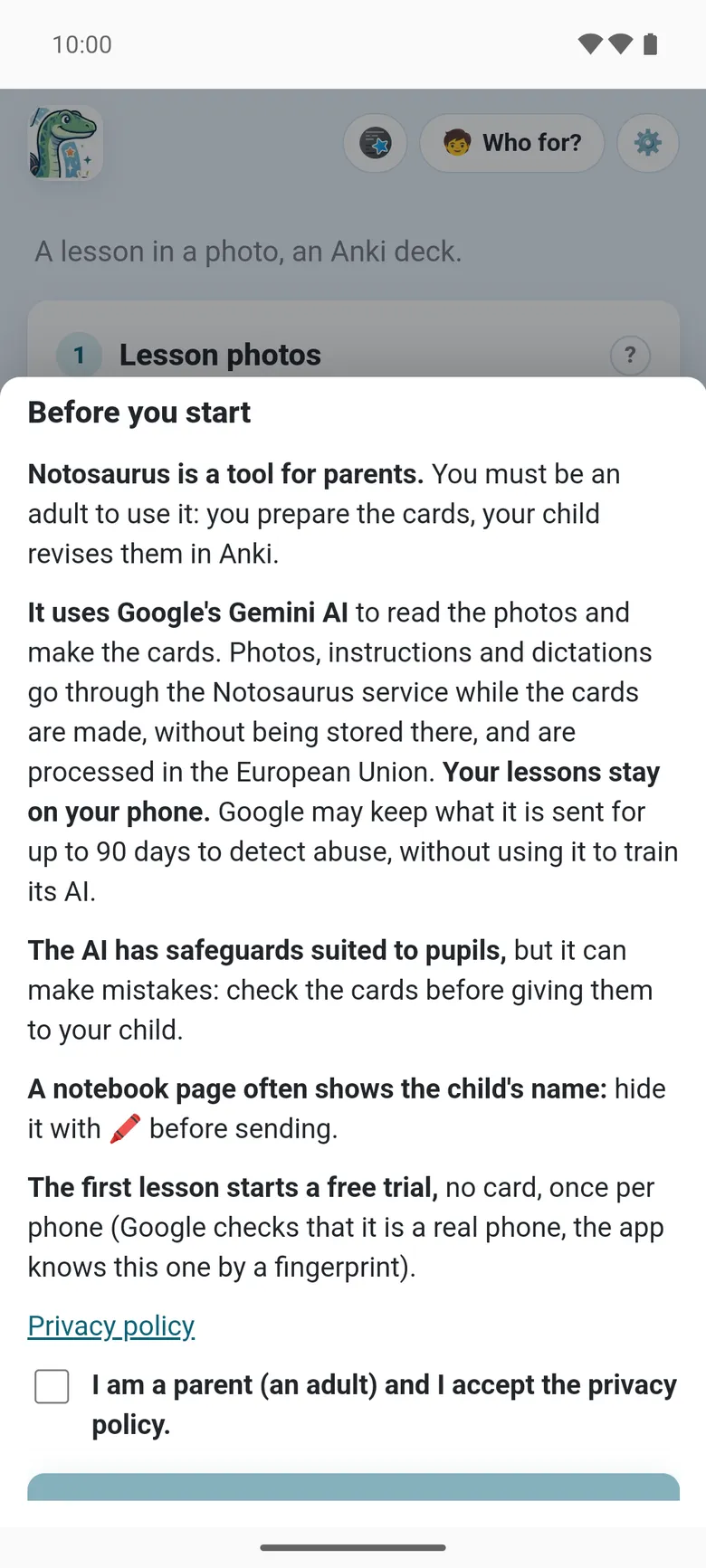
Section titled “Before you start”At the first launch, the app says in a few lines what it is and where the lessons go, then asks you to accept its privacy policy:
- Notosaurus is a tool for parents: you prepare the cards, your child revises them in Anki.
- It uses Google’s Gemini AI. The photos, instructions and dictations go through the Notosaurus service while the cards are made, without being stored there, and are processed in the European Union. Your lessons stay on your phone.
- The AI has safeguards suited to pupils, but it can make mistakes: check the cards before giving them to your child.
- A notebook page often shows the child’s name: hide it with the Hide button (🖍️) before sending (see Photos and PDFs).
Your first lesson
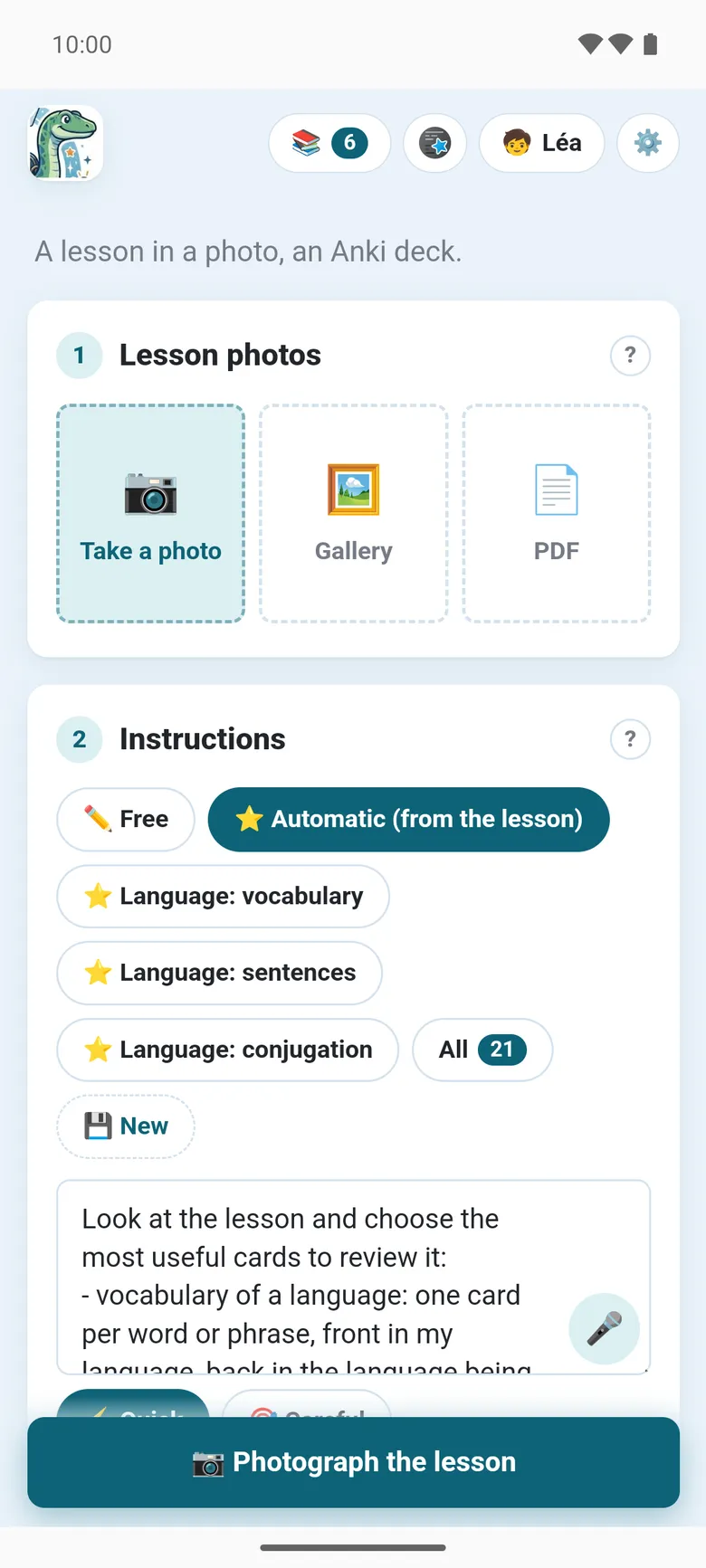
Section titled “Your first lesson”- 🧒 at the top of the page: add your child’s card (first name, class), so that the cards fit their level. See Several children.
- Under Lesson photos, take a photo of the page (or several pages), or add a PDF.
- Under Instructions, pick what to make, or keep Automatic (from the lesson): see Instructions. The Dictate button (🎤) next to the field lets you say them instead of typing.
- Tap ✨ Generate cards. The first lesson starts the free trial.
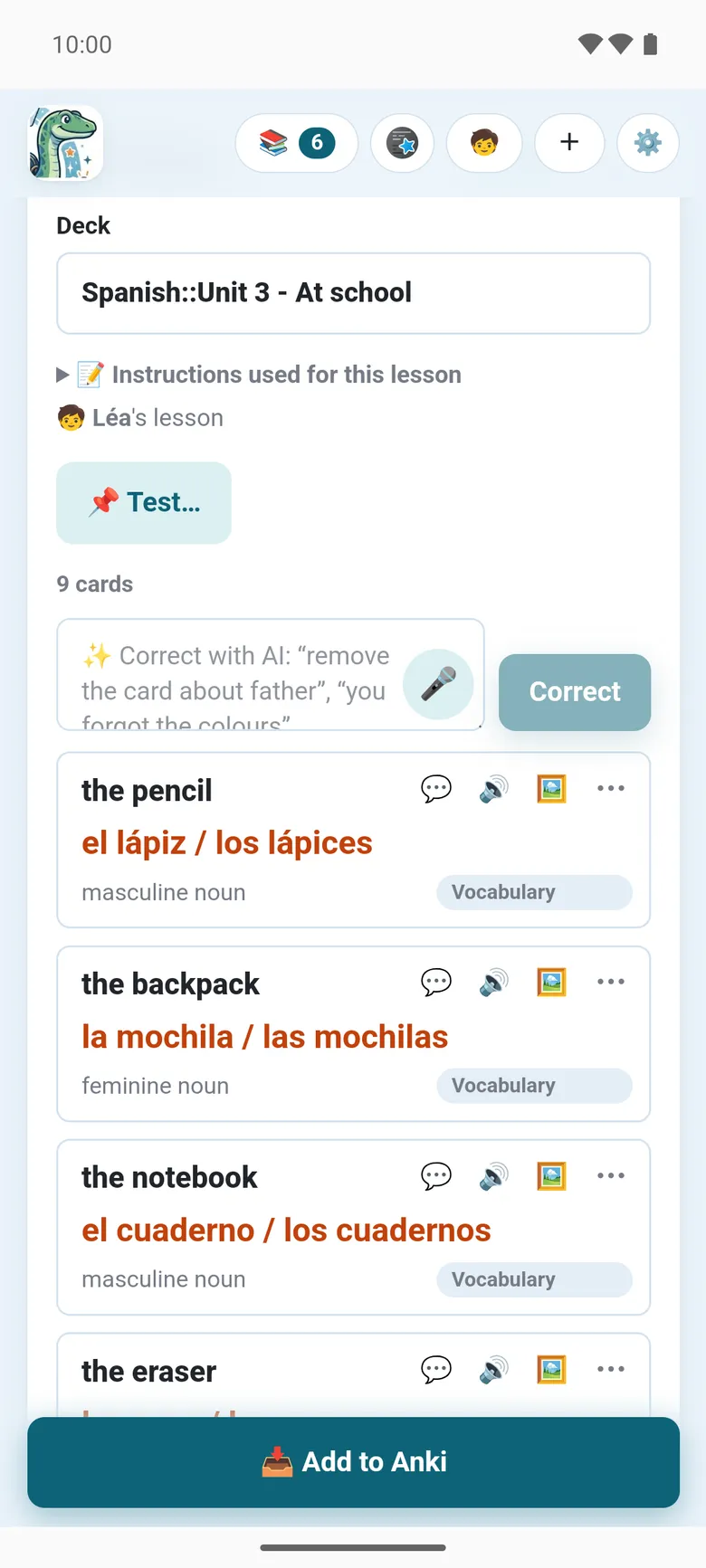
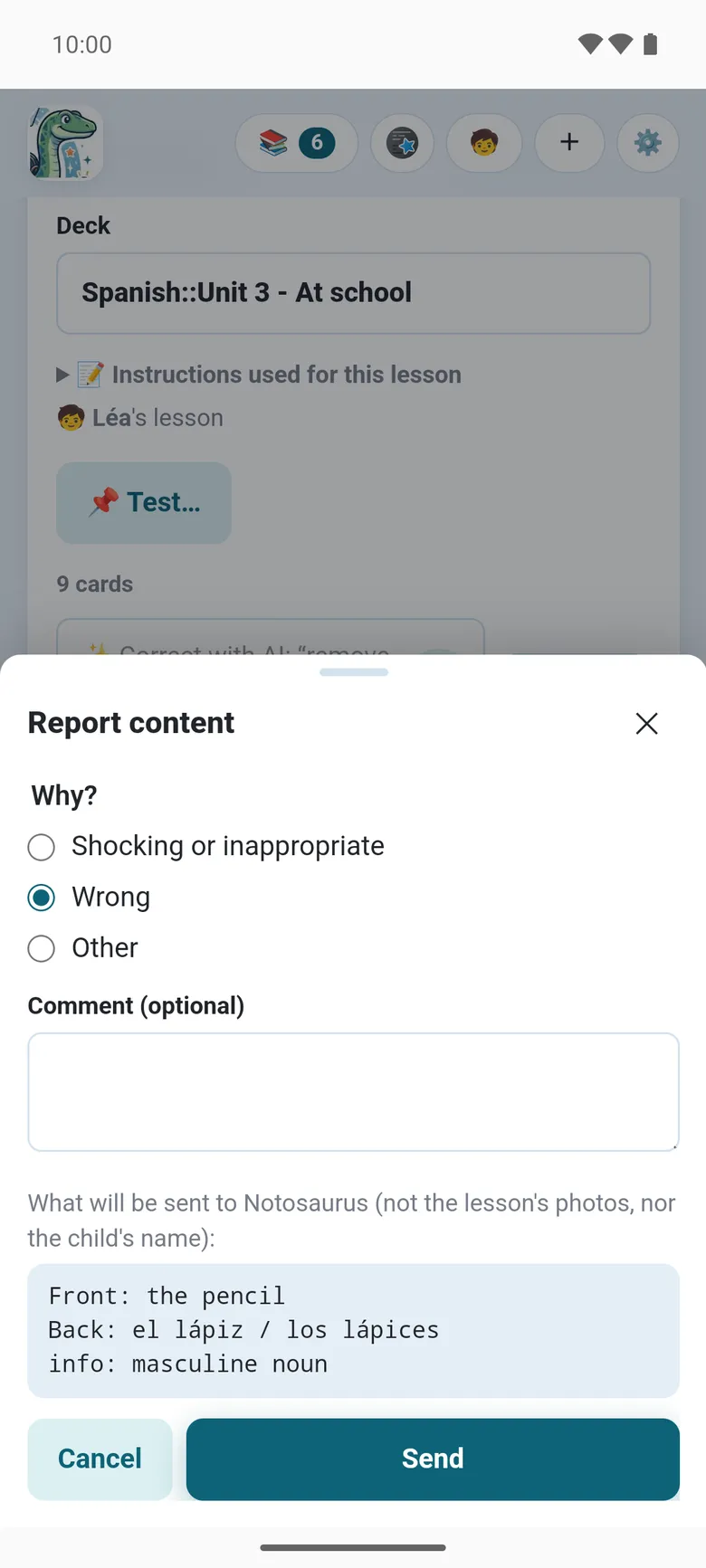
- Check the cards, correct them or ask the AI in plain words: see Reviewing the cards. A card that isn’t right: ⋯ → ⚑ Report on it, every report is read.
- Tap 📥 Add to Anki: the cards go into AnkiDroid. The first time, AnkiDroid asks whether Notosaurus may add cards to it.
The lesson is kept on the phone: reopen it from the Lessons button (📚) to correct it and send it again. Its cards are updated in AnkiDroid, not duplicated.
Where it works
Section titled “Where it works”The Notosaurus service does what needs an AI: reading the photos, making and correcting the cards, explaining one, reading the backs aloud, drawing a picture or finding a free one (Wikimedia Commons, Openverse and Pixabay). Everything else happens on the phone: the lessons are kept in the app’s private storage, the cards are written into AnkiDroid.
In the settings, 📍 Where does Notosaurus work? chooses 📱 On this phone (the default) or 💻 On my computer, with the Anki add-on: see With your computer.
The app’s own
Section titled “The app’s own”Most of Notosaurus is the same as on the computer. What only the app has, or doesn’t have:
- 🎤 Dictate: say an instruction or a correction instead of typing it. The app asks for the microphone the first time.
- ⚑ Report, on a card, tells Notosaurus what went wrong: a word misread, a wrong answer, a figure off, an unsuitable picture. Every report is read and helps fix Notosaurus (see Reporting a problem).
- The voices are Google’s, through the Notosaurus service; the voice settings are the same.
- No
.apkgand no Ko-fi: the cards go straight into AnkiDroid, and the subscription pays for Notosaurus. - Updates come through Google Play. When a new version is available, the app says A new version of Notosaurus is available, with an Update button.
See also The app’s settings and, when something goes wrong, Troubleshooting the app.