Card types
The instructions decide which kind of cards the AI makes (see Instructions). Each kind becomes its own note type in Anki, whose name starts with “Notosaurus”.
Question and answer
Section titled “Question and answer”The classic card: a front (the question, a word in your language) and a back (the answer, the word in the language being learnt), with an optional info shown under the answer. It’s what the vocabulary, sentences and questions instructions make.
When the instructions ask for it, Anki adds the reverse card (back → front), has the answer typed (compared letter by letter) or makes a dictation (hear the back, write it). See Instructions.
Fill in the blanks
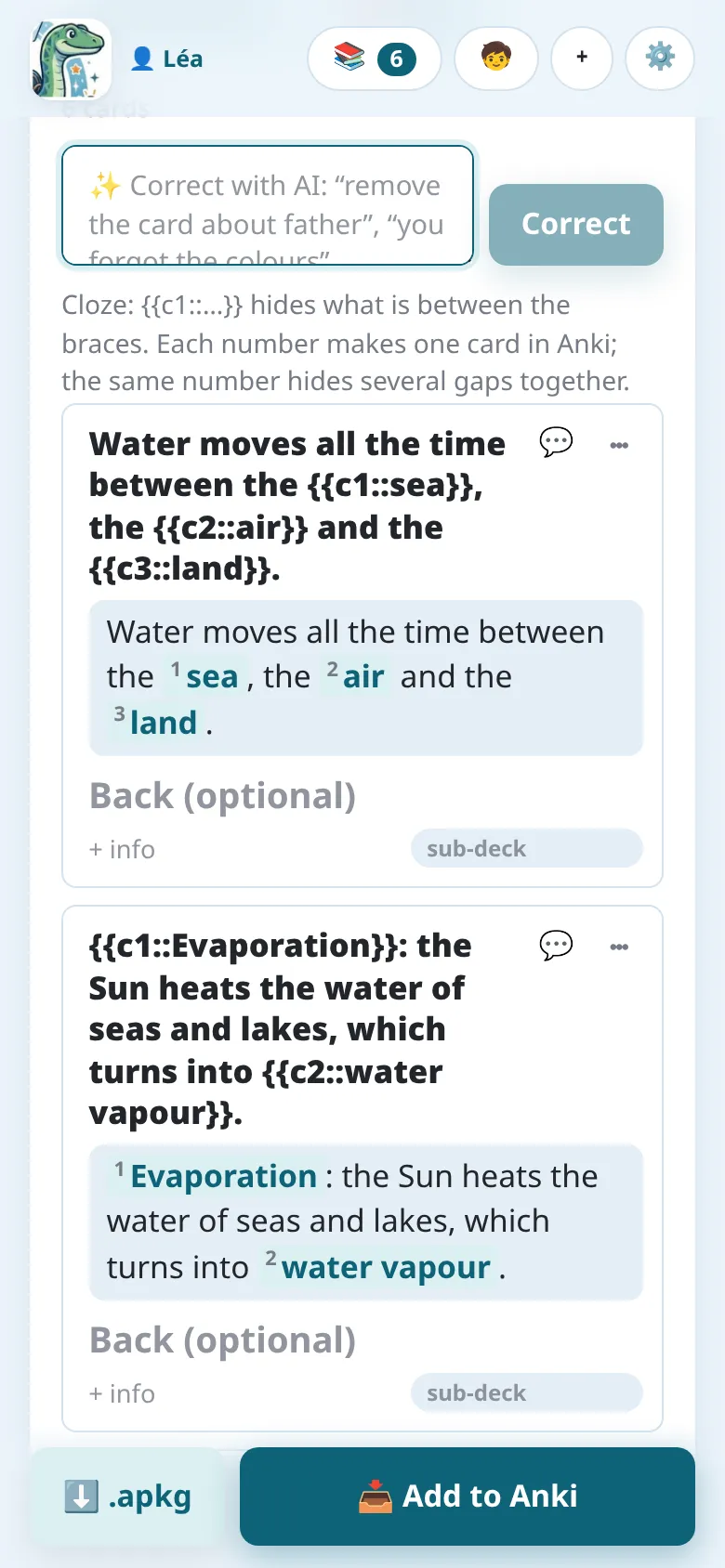
Section titled “Fill in the blanks”The Fill in the blanks instructions make sentences with gaps:
The Sun heats the water of seas and lakes: this is
{{c1::evaporation}}.
What is between {{c1:: and }} is hidden. Each number makes one card in Anki; the same
number used twice hides two gaps together. In the review, the gaps are shown numbered: you can
change their text, add some or remove some by editing the braces.
Multiple choice and true or false
Section titled “Multiple choice and true or false”Multiple choice cards have a question, the right answer and wrong answers (three plausible ones): change them in the review, or add one with + wrong answer. True / false makes statements, half of them false with one precise mistake.
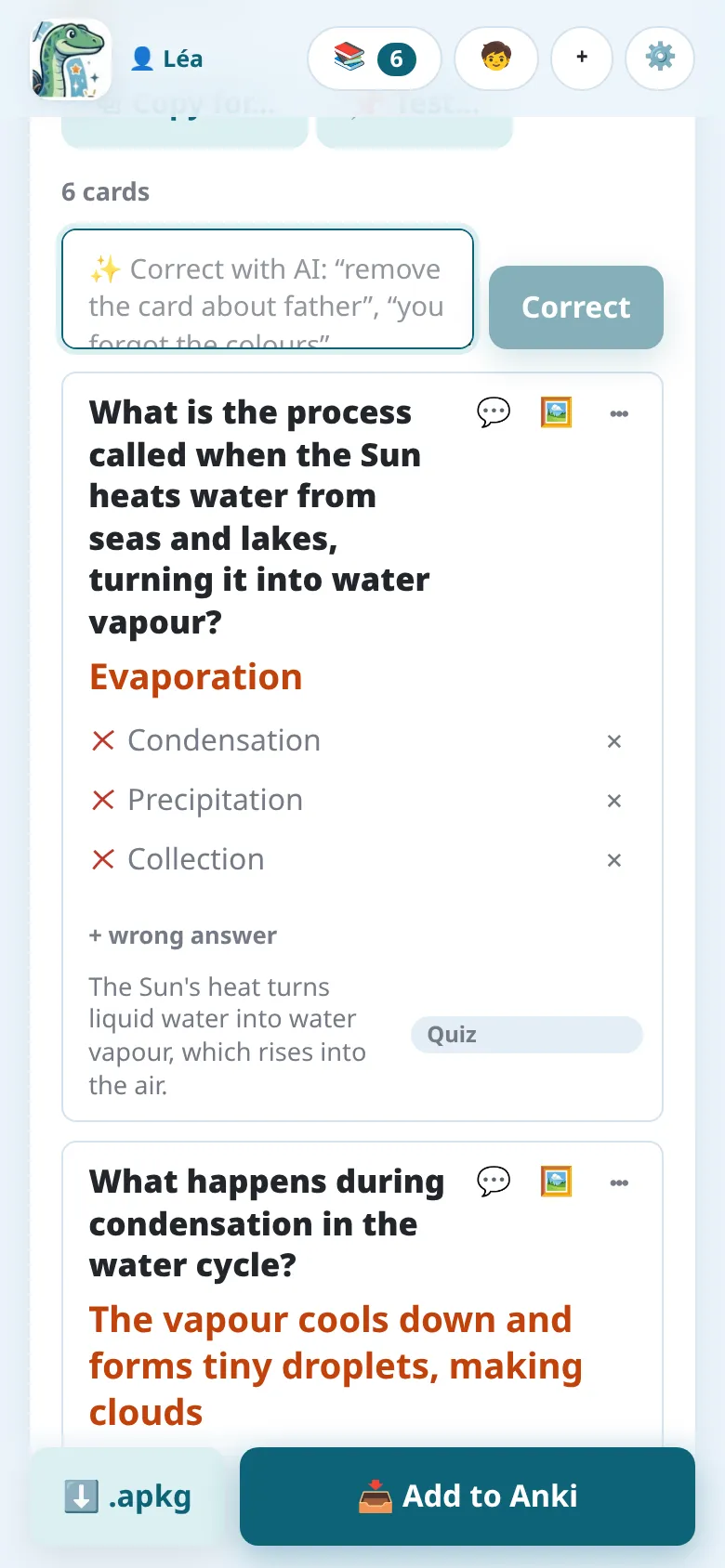
In Anki, the question shows the options (A, B, C…, always in the same order) and the answer marks the right one. It’s plain HTML: it looks the same on every Anki app.
Diagrams
Section titled “Diagrams”With the Diagram or map to complete instructions, the AI finds each label of a diagram and hides it behind a number. Each card asks “What is (2)?” and shows the answer on the diagram.
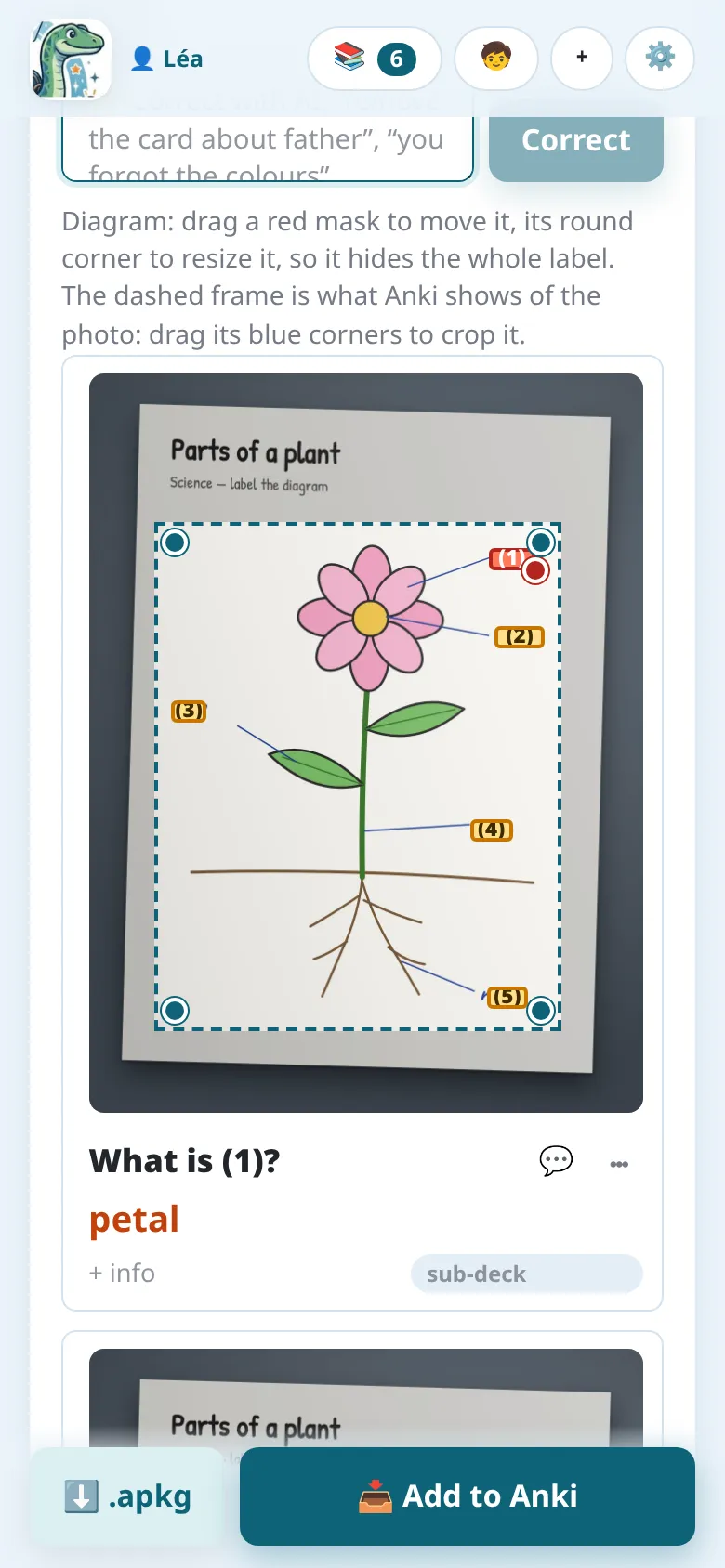
In the review:
- drag a red mask to move it, and its round corner to resize it, so that it hides the whole label;
- the dashed frame is the part of the photo that Anki shows: drag its blue corners to crop it.
Gemini and GPT place the masks most precisely. With Claude, check that the masks hide the whole label on handwriting.
Formulas
Section titled “Formulas”Formulas are written in MathJax, which Anki displays: \( \frac{a+b}{2} \),
\( x^2 \). The review shows them drawn under the text. Simple calculations stay as plain
text.
Figures
Section titled “Figures”For geometry and simple labelled figures (a right triangle with its hypotenuse, a circle with its radius, a rectangle with its measures), the AI draws an exact figure on the card, instead of an image model that would draw text and measures badly. The figure never shows the answer. In any subject, a notion a figure makes clearer gets one too, in particular when the lesson’s page shows a figure for it (sets with their intersection hatched, a number line, a graph…): redrawn clean on the card.
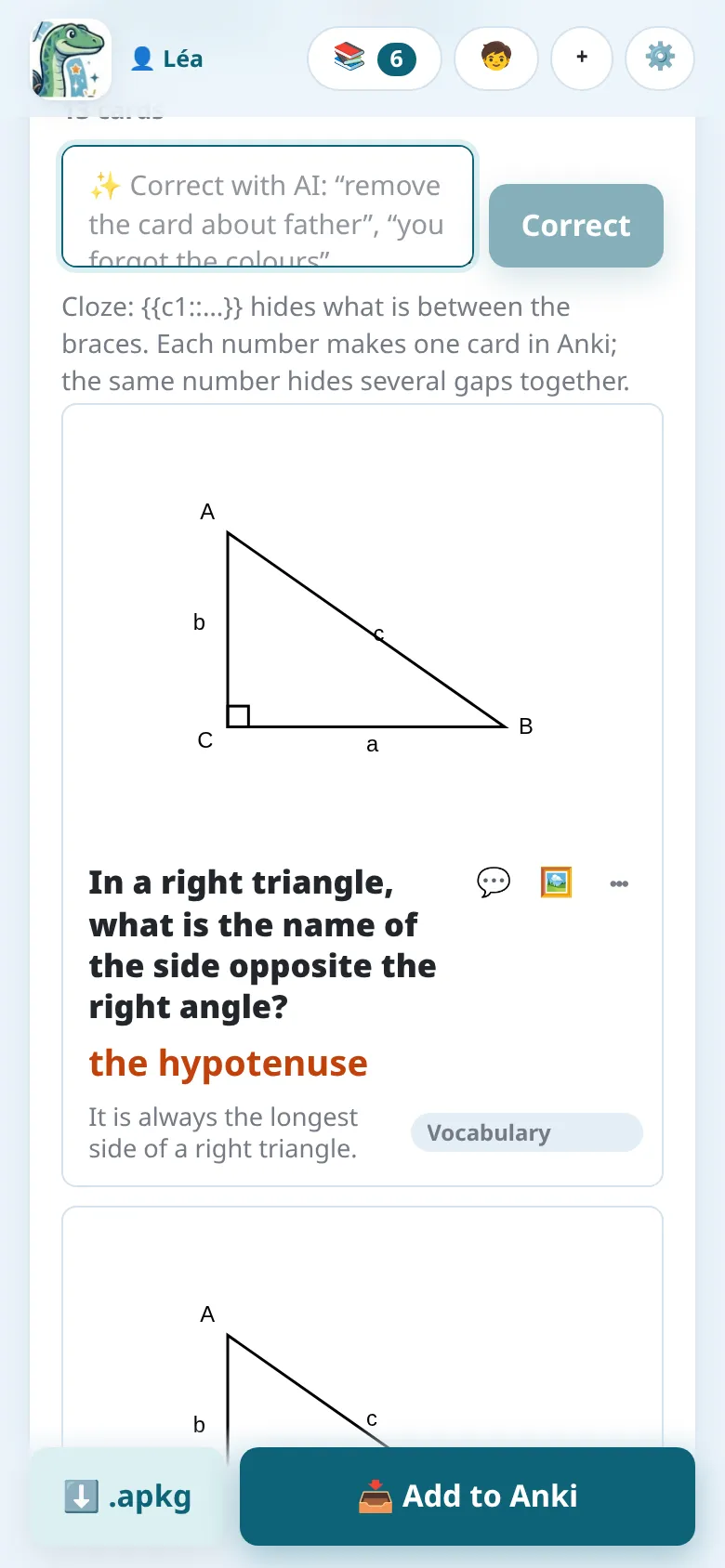
The Picture button (🖼️) of a card opens its figure: change its description and draw it again, or move it to the back when it belongs to the answer. The Geometry (with figures) instructions make such cards, and so do Automatic and the formula instructions when it helps.
The figures are drawn with Typst, each kind with a package made for it (geometry, graphs of functions, sets, diagrams, electric circuits, chemistry, timelines, maps, clocks, solids in perspective, statistics charts): a curve is computed from its function, a mark sits on its segment. Under the figure, a line says what drew it (“📐 Drawn by gemini-… with Typst + ctz-euclide”, each linked to its page). A figure you doubt: 🔍 Check the figure has the AI look at it; if it finds something wrong, it says what, and you choose Keep it or 📐 Redraw it (then, if needed, 📐 Redraw it carefully).
Pictures
Section titled “Pictures”The Language: vocabulary in pictures instructions put a picture of each word on the front, found free or drawn by an image model.
The Notosaurus service draws the pictures: nothing to choose. A drawing costs credits, told before it is made.
A drawing costs from less than a cent to a few cents. Pictures are drawn by the AI service of the cards when it can draw (Gemini, OpenAI, OpenRouter), otherwise by another one chosen in Settings → Pictures on cards (Claude and local models can’t draw). That section also chooses the image model, or No pictures:
- Recommended, from our tests lists the image models we advise for the service, with what a picture costs; the ⭐ one is the default. We compared their drawings by eye: with OpenAI, GPT Image 2 (about 0.6 US cent a picture); with Gemini or OpenRouter, Gemini 3.1 Flash-Lite Image (about 3 US cents).
- The field also offers every image model the service has, new ones included: type to filter them.
- 🖼️ Test: draw a giraffe draws one real picture with the chosen service and model, and shows it as a card would, with the time and the cost.
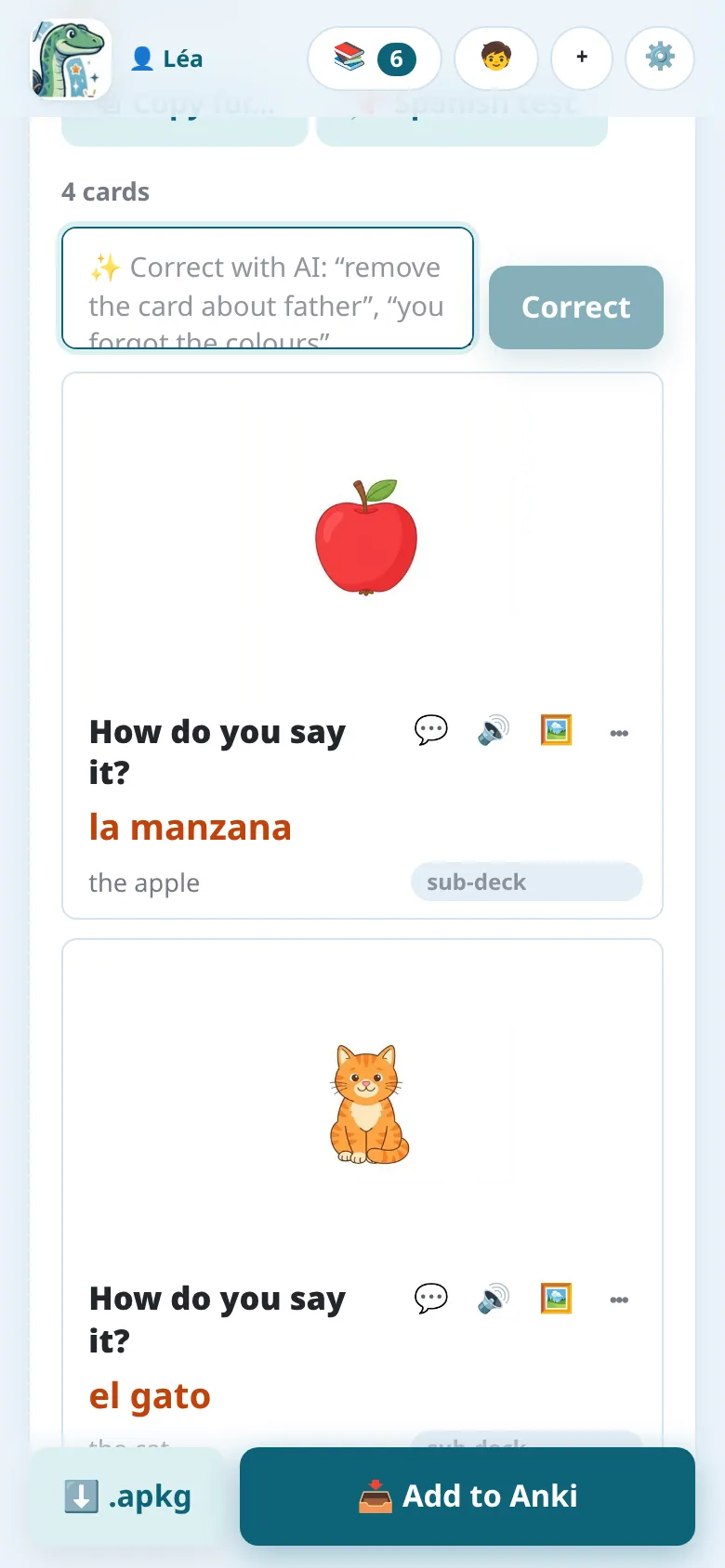
The Picture button (🖼️) of a card opens its Picture panel:
- What the picture should show, in your own language: leave it empty and the AI decides from the card; or write what you want (“two overlapping sets, their union hatched”, “a red apple”);
- ✨ Picture (or ✨ Change the picture) makes it, the cheapest first: a figure is drawn at once; for a picture, free ones are looked for (one fits, it goes on the card; several, you tap the one that fits, the ⭐ one is the AI’s choice); none fits, Notosaurus asks before the AI draws one (🎨 Draw): it costs credits in the app, from under a cent to a few US cents on the computer;
- 📷 My photo: put your own photo instead, for free;
- ✕ No picture: remove it;
- On the back (with the answer): when the picture gives the answer away.
Free pictures, found rather than drawn
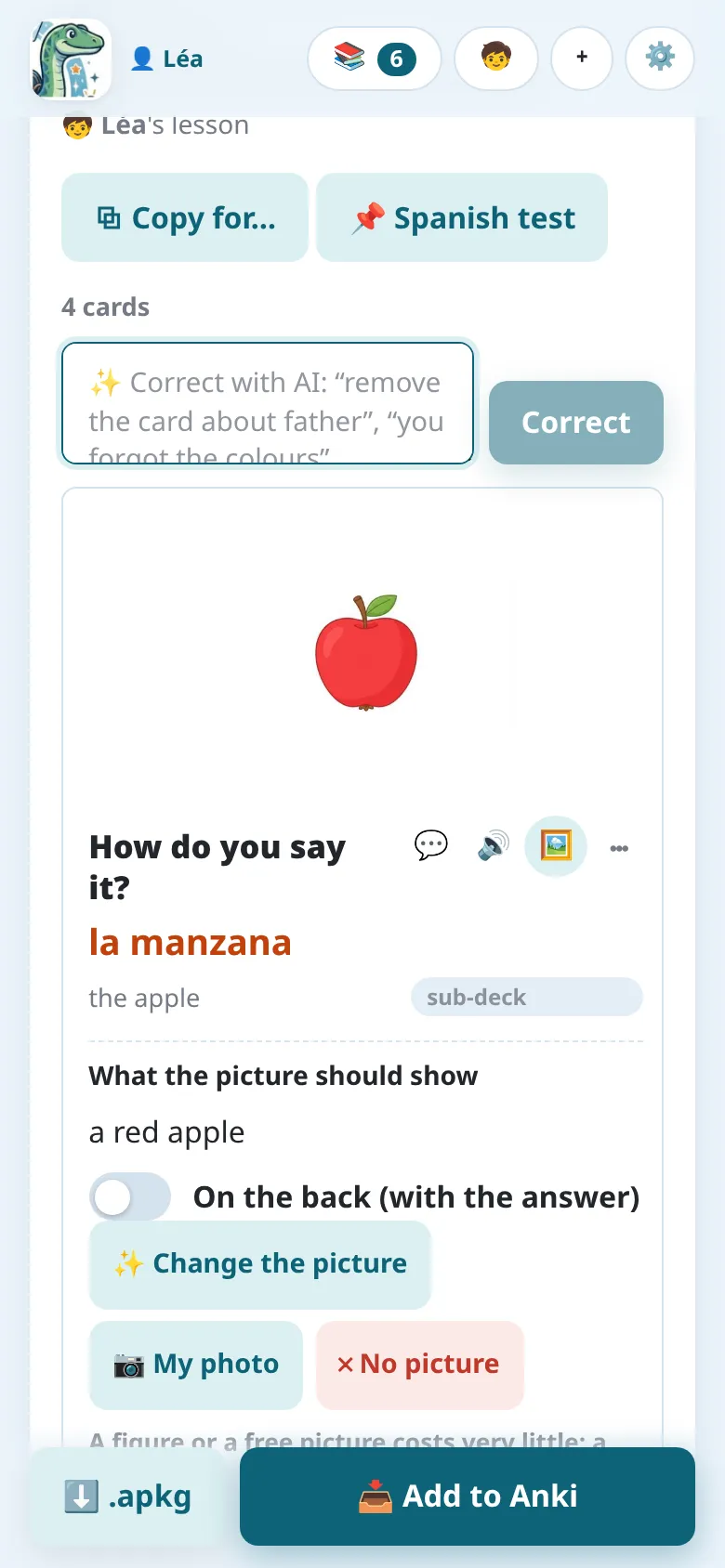
Section titled “Free pictures, found rather than drawn”For a real thing (a person, a place, a monument, a work of art, an animal, a food), the AI writes, with the card, a few English words to search for it (“Storming of the Bastille painting”, “dog”). Notosaurus then looks for a free picture before drawing one: a photo or a painting in the public domain or under CC0 (Wikimedia Commons, Openverse; in the Android app, Pixabay too), so there is nothing to credit on the cards. The cards’ AI looks at the pictures found and keeps the one that fits; when none does, the picture is drawn. It is free (only the AI’s choice costs: well under a cent) and exact: the real painting of the storming of the Bastille, the real portrait of a president.
The pictures found come filtered for pupils (no mature content).
Every card keeps where its picture comes from: its panel says it (“Source: Wikimedia Commons · Public domain”, with a link to the picture’s page; “Drawn by the AI”; “Your photo”). On the computer, the Anki note keeps it too, in a hidden Source field: it is on no card, but goes with the deck if you share it. For a figure, it also names the model and the Typst packages that drew it.