
The app's settings
The Settings button (⚙️), at the top of the page, opens the app’s own settings. They are saved as you go.
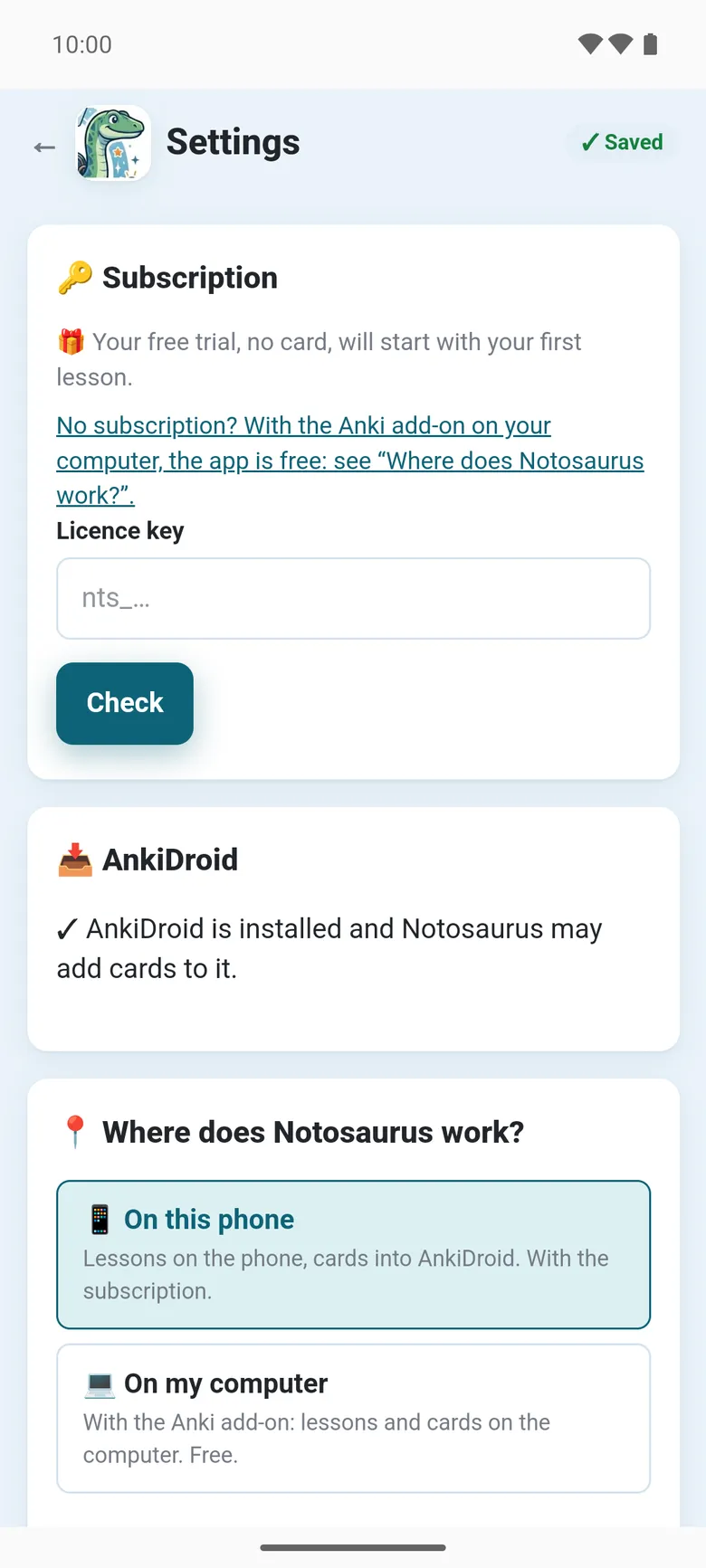
- 🔑 Subscription: the free trial or the plan, the credits left this month and today, when they are renewed; I already have a subscription, Manage the subscription (Google Play), and a Licence key field. See The subscription.
- 📥 AnkiDroid: whether AnkiDroid is installed and Notosaurus may add cards to it, with Install AnkiDroid or Allow when needed. See The app and AnkiDroid.
- 📍 Where does Notosaurus work?: 📱 On this phone or 💻 On my computer. See With your computer.
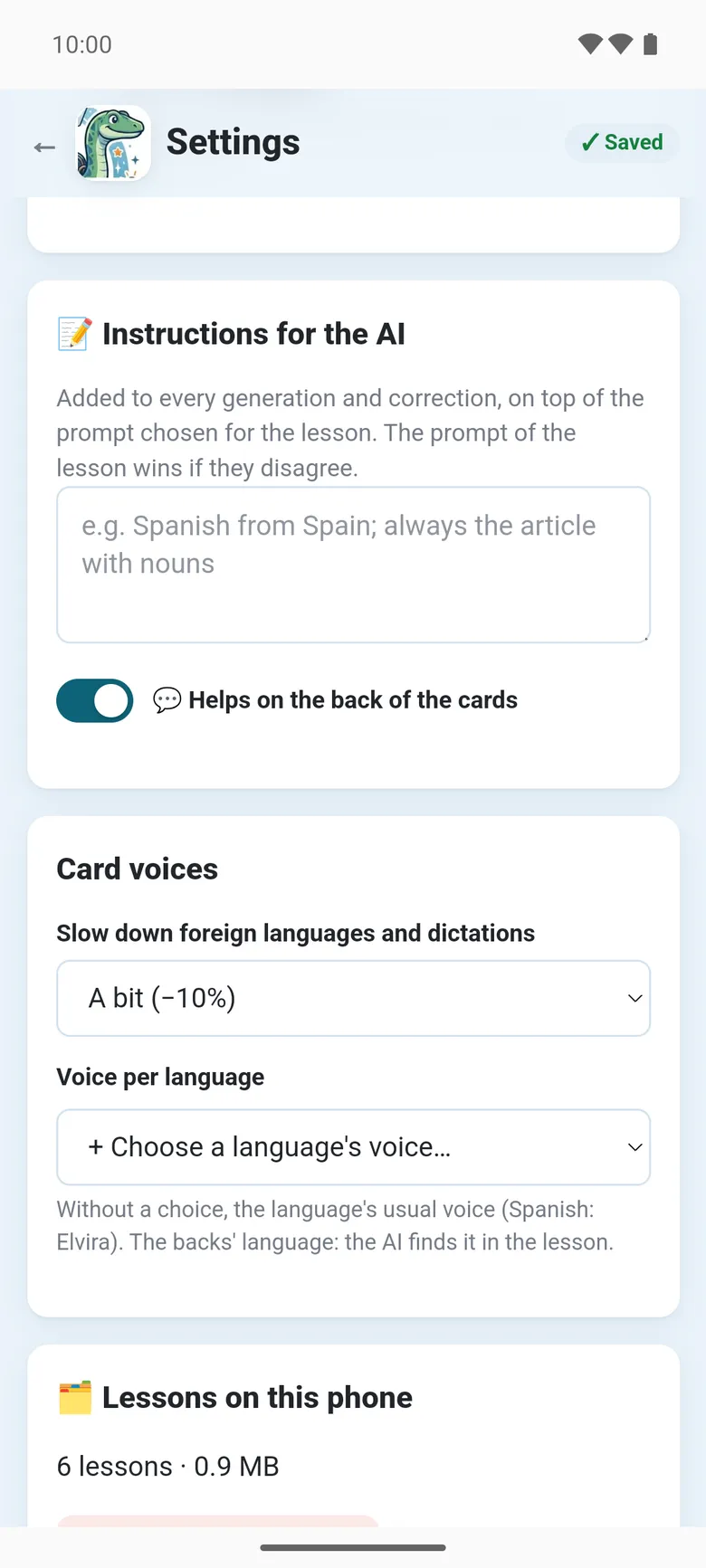
- 📝 Instructions for the AI: the instructions for every child (“Spanish from Spain”), added to every lesson, and 💬 Helps on the back of the cards. Each child’s own are in their card, from the Children button (🧒) on the main page: see Several children.
- Card voices: Slow down foreign languages and dictations, and a Voice per language, with Listen. See Voices and audio.
- 🗂️ Lessons on this phone: how many there are and their size. Delete all the lessons removes them, with their sound; the cards already in AnkiDroid stay.
- ℹ️ About: the version, the licence, the source code, the privacy policy and the licences of the libraries used.
At the bottom, 🌐 chooses the language of the page, and 📖 Help opens this documentation.
With 💻 On my computer, the settings show only the choice of mode, the language and ℹ️ About: the rest is the computer’s, in Anki → Tools → Notosaurus → Settings.