
Your lessons
Each generation creates a lesson: its photos, its instructions and its cards, saved where Notosaurus runs (on the phone in the app, on the computer with the add-on). You can come back to it at any time to correct it, generate it again or send it to Anki again.
The list of lessons
Section titled “The list of lessons”The Lessons button (📚), at the top of the page, opens My lessons: the lessons of the child chosen (and, on the computer, of the Anki profile open), the most recent first. With more than one child, the switch above the list shows Every child’s lessons.
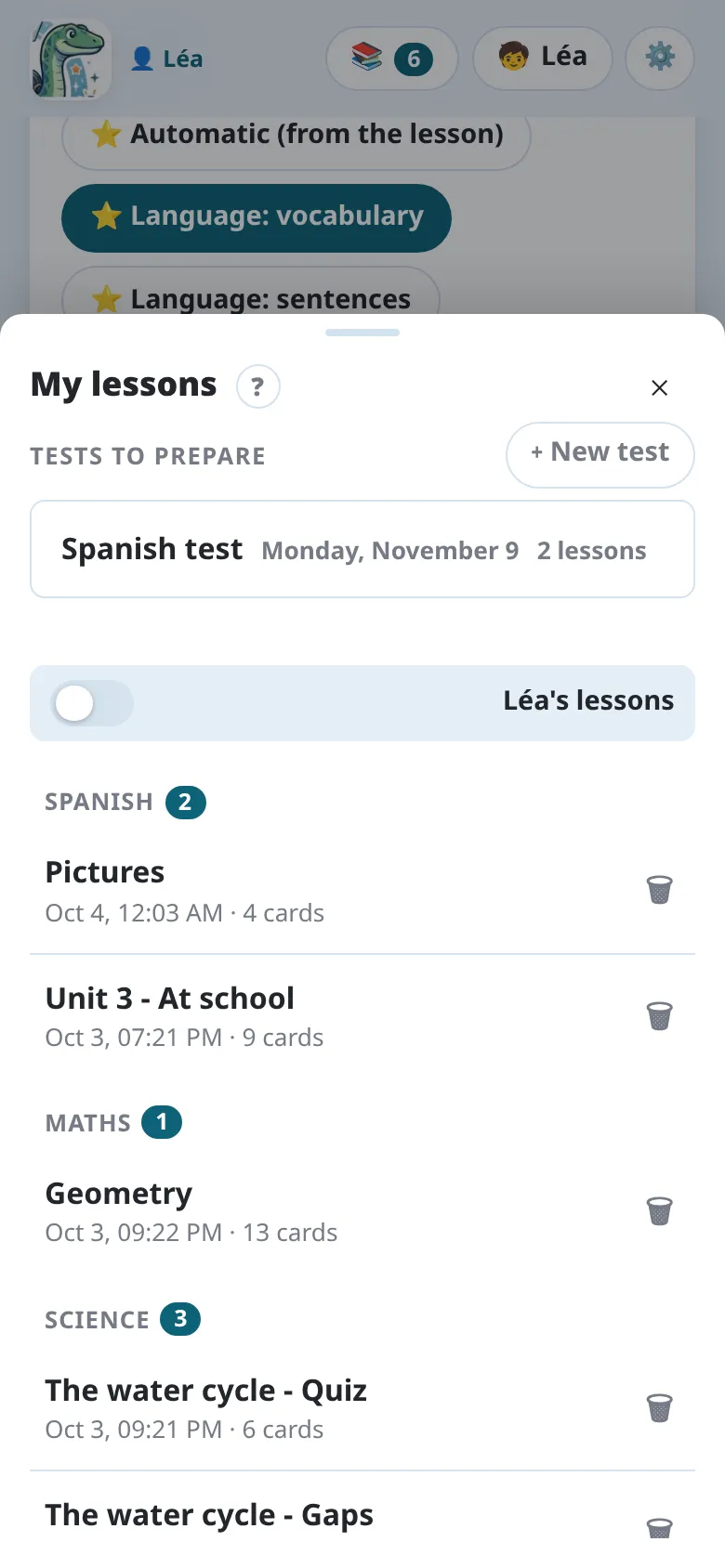
- The lessons are grouped by subject: the first part of the deck name (
Spanish,Science…), the subject worked on last first. - exported marks a lesson already sent to Anki or downloaded.
- With many lessons (more than 8), a search appears (case and accents don’t matter), the 3 most recent lessons are shown first, and the subjects are folded, except the open lesson’s. A subject opened or closed by hand stays so on that device.
Tap a lesson to reopen it: its photos and cards come back, ready to be corrected or sent again. + New starts a new lesson.
Lessons and children
Section titled “Lessons and children”A lesson is for the child chosen when it was made (the Children button, 🧒, at the top of the page) and, on the computer, belongs to the profile open in Anki then. ⧉ Copy for…, in its review, makes a copy for another child, free. See Several children.
Tests to prepare
Section titled “Tests to prepare”A test covers several lessons? Gather them, or some of their cards, and revise them together: see Preparing a test. The tests are listed at the top of My lessons.
Deleting a lesson
Section titled “Deleting a lesson”The Delete lesson button (🗑), next to a lesson, deletes it, with its photos. If its cards are in Anki, Notosaurus looks for them and offers to delete them too: their review history is then lost. Otherwise, the cards already sent stay in Anki.
Settings (⚙️) → 🗂️ Lessons on this phone says how many lessons the phone keeps and their size, and Delete all the lessons deletes them all, with their sound. The cards already in AnkiDroid stay, with their sound.
The lessons can also be managed in Settings → Lessons: which Anki profile each one belongs to (it can be changed there), what it cost, and deleting it.